EasyManua.ls Logo

Pantech DUO - Page 42

Pantech DUO
52 pages
Print Icon
To Next Page IconTo Next Page
To Previous Page IconTo Previous Page
Loading...
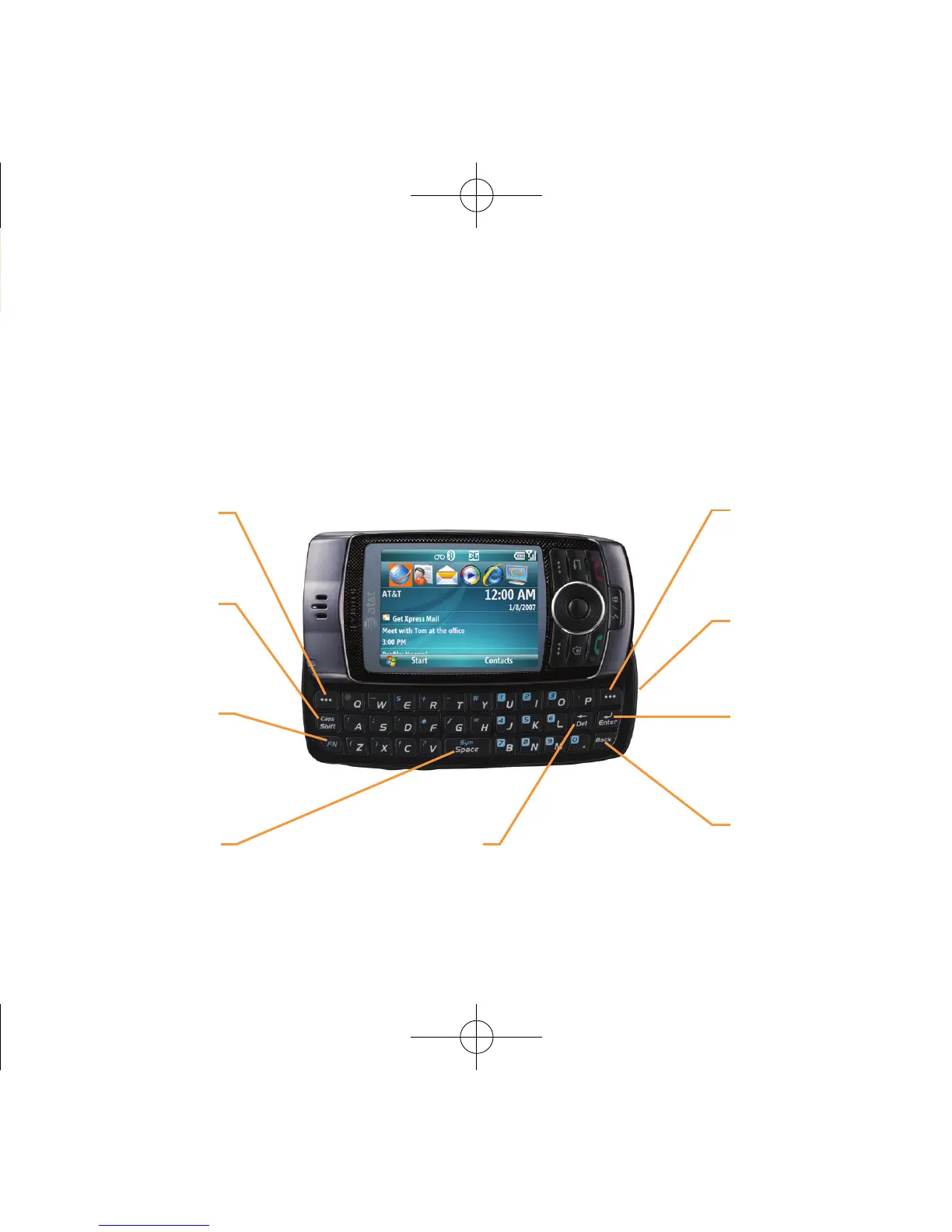
QWERTY Keyboard Features
QWERTY Keyboard View
Function Key
To enter a number or
a symbol, press the
function key, and press the
corresponding key.
CAPS/Shift Key
Press this key then a
letter key to type a single
uppercase letter.
USB, Charge Port,
3.5mm Stereo
Headphone Adaptor
Enter Key
Press to create a new
line while writing a
message.
Clear/Back Key
Press to return to previous
screen.
Left Soft Key
Press to access the
“Start” menu from the
Home Screen.
Right Soft Key
Press to select a menu
function or access contacts
from home screen.
Delete Key
Press to delete a
number or letter.
Space Key
Press to enter a
space.
070816_PantechGSGFinal 수정.indd 42 2007-08-16 ¿ÀÈÄ 1:53:09

Related product manuals