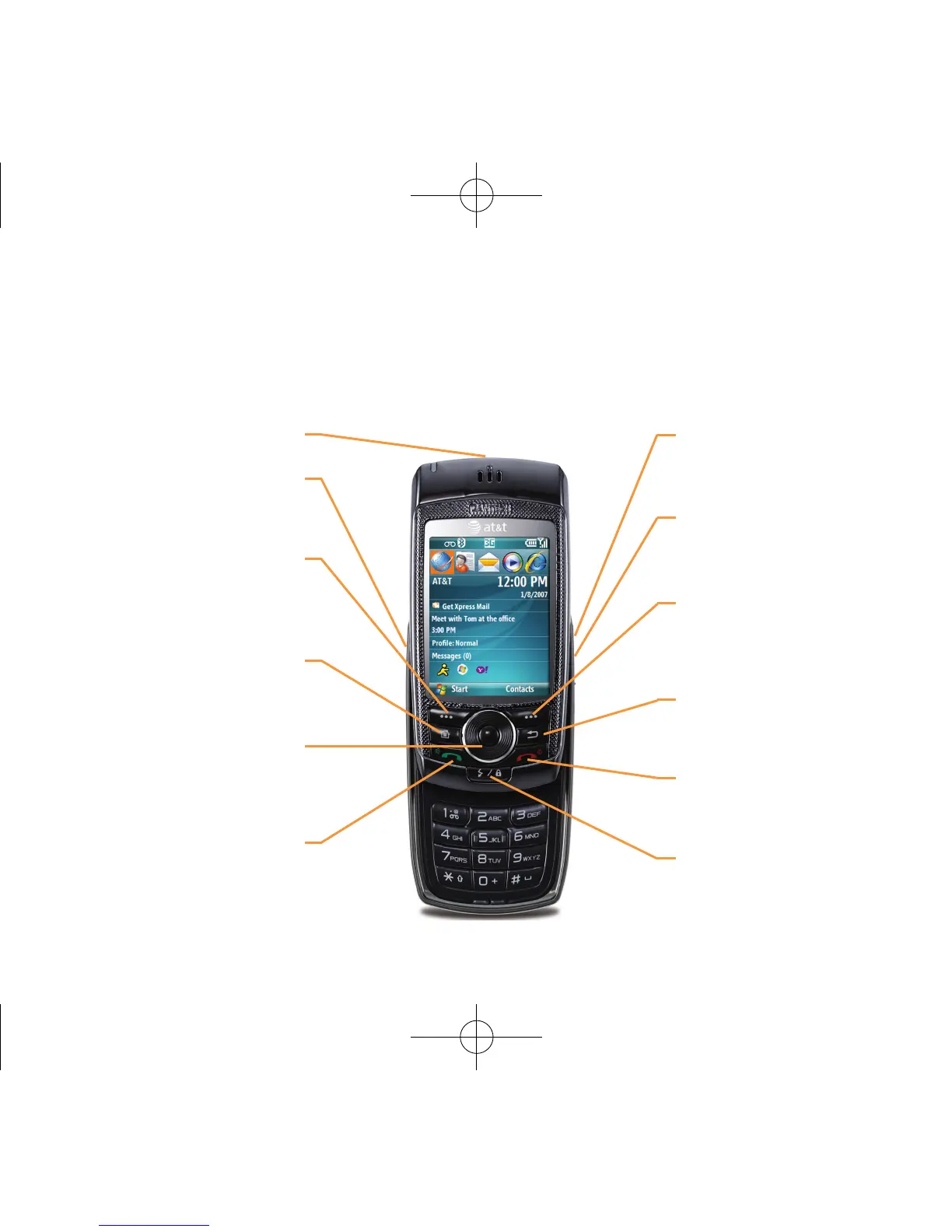
Number Pad View
Volume Keys
Press to adjust the volume
during a call, or otherwise.
Send Key
Press to answer an
incoming call.
Home Key
Press to access the
Home Screen.
Clear/Back Key
Press to return to previous
screen.
Right Soft Key
Press to select a menu
function or access contacts
from home screen
Navigation Key
Press left, right, up and
down to scroll through
menus; press the center of
the Navigation key to select
an item
End Key
Press to end call; press and
hold to lock device.
Voice Record Key
Press from home screen to
access AT&T music screen
Camera Key
Press to activate camera or
to take a picture.
microSD Card Slot
Left Soft Key
Press to access the
“Start” menu from the
Home Screen.
QuickList/Lock Key
Press to access the “Quick
List”; press and hold to lock
device.
Number Pad Features



 To Next Page