42 Basic Operations
Starter Mode
Home Screen
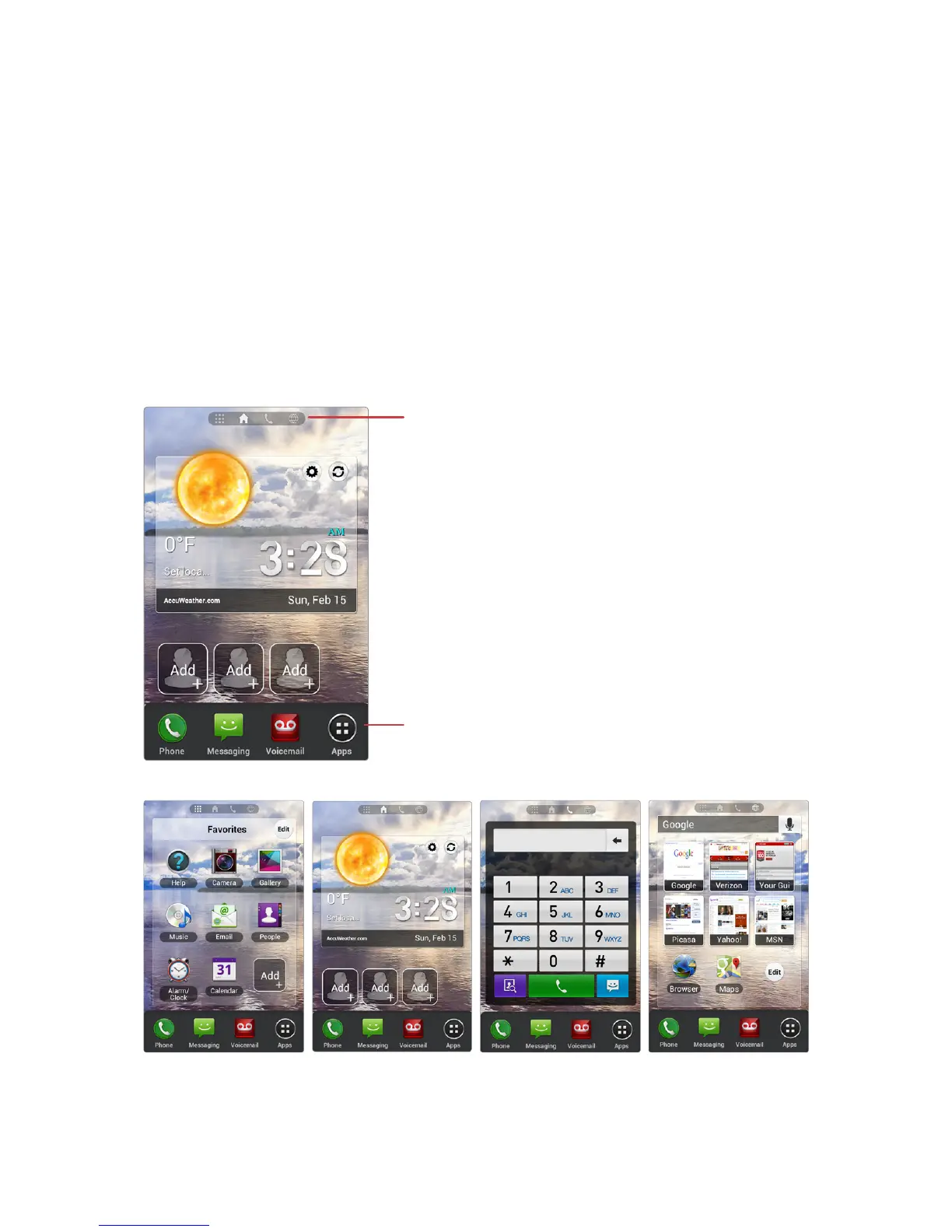
The Home screen is the starting point for accessing the smartphone’s
features. It displays shortcuts for favorite contacts and apps, and thumbnails
for web bookmarks.
The Home screen has multiple pages. To see the other pages, flick the screen
left or right, or tap one of the page icons on the top of the screen.
Launcher
Icons for Home screen pages
¿ : Favorite Apps page
À
:
Favorite Contacts page
j : Dialer page Á : Bookmarks page



 To Next Page