94 Media Center
Videos
Tap Videos from the Apps screen to open.
In Starter mode: Apps > Media > Videos
Playing Videos
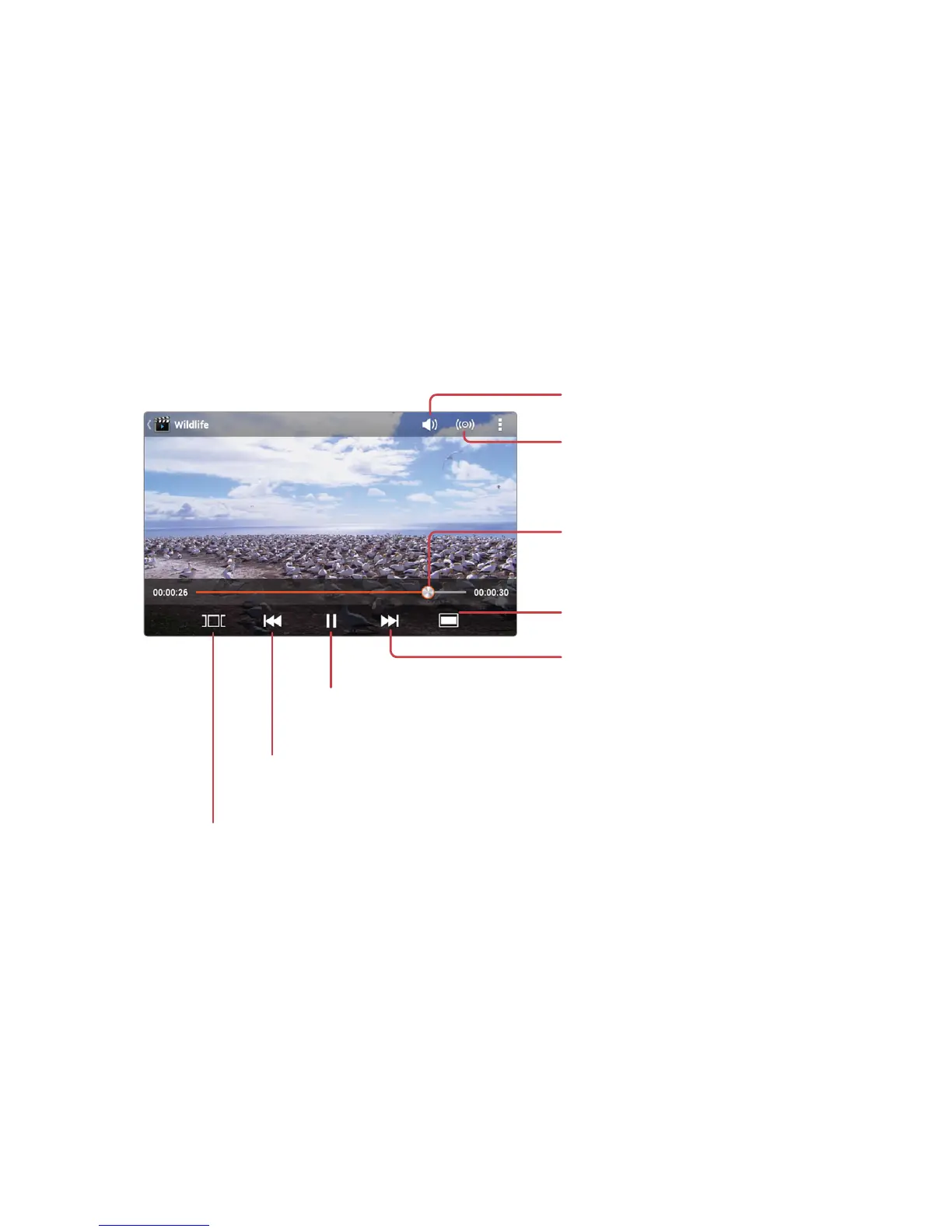
Tap a video to watch it. To watch several videos in sequence, tap D > Play
selected items, select a number of videos, and then tap the play icon ^.
Adjust the volume.
Activate 3D surround
sound effect when a
headset is connected.
Drag to scan forwards
or backwards within
a video.
Change the display mode.
Skip to the next video.
Tap and hold to scan
forwards.
Select a scene to jump to it.
Skip to the previous video.
Tap and hold to scan backwards.
Pause and resume
playback.
Tap the pause icon M to pause playing. This icon alternates with the play
icon L, so tap it again to resume playback.



 To Next Page