86
Tools
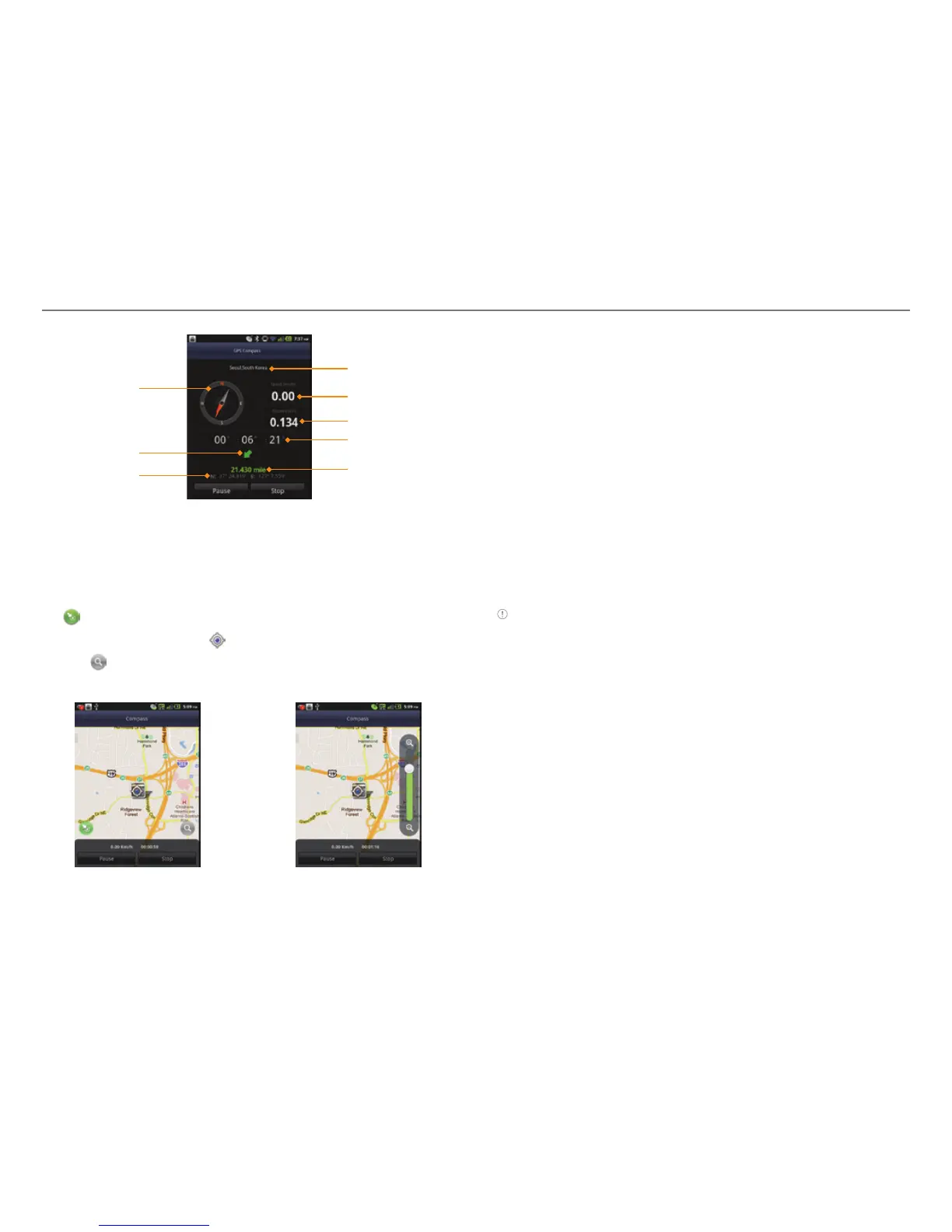
Compass
Direction
N/S: Latitude
E/W: Longitude
Way point
Moving speed
Moving distance
Moving time
Remaining
distance
Reviewing the moving track
1. Tap Compass
from the applications menu
.
2. Press n and tap Map View.
indicates your current location on the map.
3. Tap Start. The marker
on the map starts moving.
4. Tap
and move it up if you want to zoom in the map. Move
it down if you want to zoom out the map.
Creating I’mark
1. Tap Compass
from the applications menu
.
2. Press n and tap Add to I’mark.
3. Enter the name, latitude, longitude, proximate range and
comment and tap Save.
Deleting I’mark
1. Tap Compass
from the applications menu
.
2. Press n and tap I’mark list.
3. Press n and tap Delete.
4. Select and tap the I’mark to delete.
5. Tap Done.
Note You can delete a I’mark by pressing and holding the I’mark in
the list and tapping Delete.
Adding a photo for I’mark
1. Tap Compass
from the applications menu
.
2. Press n and tap Add photo.
3. Tap Take a photo if you want to take a picture.
4. Tap Picture if you want to add a photo from your gallery.



 To Next Page