Digiplex DGP-848 - 41 - Programming Guide
and [049] to [056] (Keyswitch serial numbers), enter installer programming mode, then enter section [965].
To copy the contents to the Memory Key including sections [001] to [048] and [049] to [056], enter section [966].
5. After the confirmation beep, wait 10 seconds and remove the Memory Key. Remove the Memory Key’s jumper if you do
not wish to accidentally overwrite its contents.
Software Reset
Performing a software reset will set certain parameters to default values. To do so:
1. Make sure the
RESET jumper on the control panel is on.
2. Enter Programming Mode (see page 1).
3. Enter the 3-digit [
SECTION] corresponding to the software reset you wish to perform:
Installer Quick Function Keys
To access the installer functions, press and hold the [0] key, enter the [INSTALLER CODE], and then:
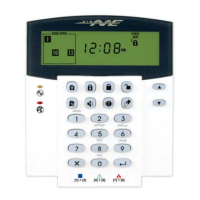
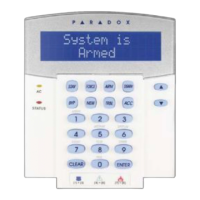
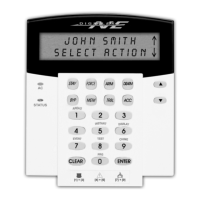
For LCD keypads: press the key indicated in the list below that corresponds to the function you wish to activate.
For Grafica keypads: press the center action key (Options), highlight the desired function and then press the left action key
(Select).
Section # Description
[970]
Entering this section will reset all programmable sections from [001] to [896] (except sections [451] to [498],
[555], [556], [560], [790] to [795], and [800]) to default values. The Zone Labels, Panel ID, PC Password, PC
Telephone Number, Installer Code, System Master Code, Event Buffer, and Automatic Report Codes will not
be reset.
[974]
Entering this section resets the following Access Control sections: [301] to [332], [340] to [355], [361] to [375],
[381] to [392], and [537].
[975]
Entering this section will reset all Zone and Keyswitch programming sections from [001] to [056], and [101] to
[156] to default values.
[976]
Entering this section will reset the following sections to default values: [200] to [261], [270] to [274], [400] to
[409], and [440] to [442].
[977] Entering this section will reset sections from [500] to
[522] to default values.
[978]
Entering this section will reset the following communication sections to default values: [521] to [536], [550] to
[554], [561] to [564], and [600] to [718].
[979] Entering this section will reset all user code sections from [801] to [896] to default values.
Section # Data Description Default
[990] ___/___/___ (147=lock, 000=unlock)
LOCK INSTALLER CODE 000
[
STAY]
Test Report: Sends the “Test Report” report code programmed in section [717] to the monitoring station.
[
FORCE] Call WinLoad Software: Will dial the PC telephone number programmed in section [560] in order to initiate
communication with a computer using the WinLoad Upload/Download software.
[
ARM] Answer WinLoad Software: Will force the control panel to answer a call made by the monitoring station that is
using the WinLoad upload/download software.
[
DISARM] Cancel Communication: Cancels all communication with the WinLoad Software or with the monitoring station
until the next reportable event.
[
MEM] Installer Test Mode: The installer test mode will allow you to perform walk tests where the bell or siren will
squawk to indicate opened zones. Press [
MEM] again to exit. Partitions can not be armed if the Installer Test
Mode is enabled.
[
TRBL]
Start Module Scan: The keypad will display the serial number of each module on the bus.
[
ACC] For LCD Keypads (DGP2-641) only
Combus Voltmeter: Verify if the combus is supplying sufficient power. A reading of 12.3V indicates that the
voltage is too low. The voltage may drop during the control panel battery test.




 To Next Page