Scheduled actions on your roadmap
Press down on an action and drag it to the column on the right to add it to the
roadmap. The corresponding trajectory will display on the environment.
Drag an action from the right-hand side column to the left-hand side one to delete
it.
On your roadmap:
·
Tap an action to edit its settings
;
·
Hold down an action for 2 seconds and drag it to a new location to edit the
order of actions on your roadmap.
MiniDrone action.
Settings / Notes
Advance
Define the distance to travel
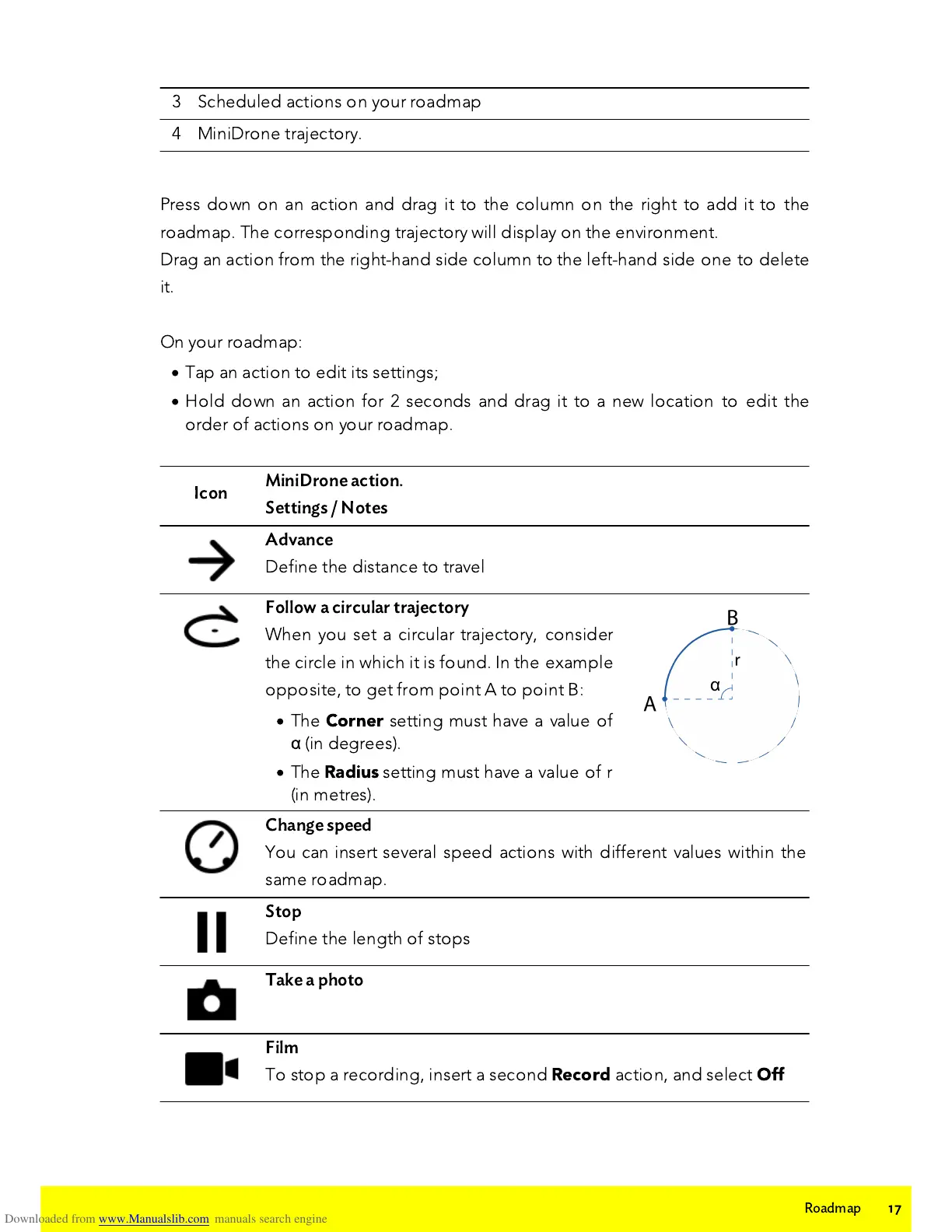
Follow a circular trajectory
When you set a circular trajectory, consider
the circle in which it is found. In the example
opposite, to get from point A to point B:
·
The
Corner
setting must have a value of
α
(in degrees).
·
The
Radius
setting must have a value of
r
(in metres).
Change speed
Y
ou can insert several speed actions with different values within the
same roadmap.
Stop
Define the length of stops
Film
To stop a recording, insert a second
Record
action, and select
Off















 To Next Page