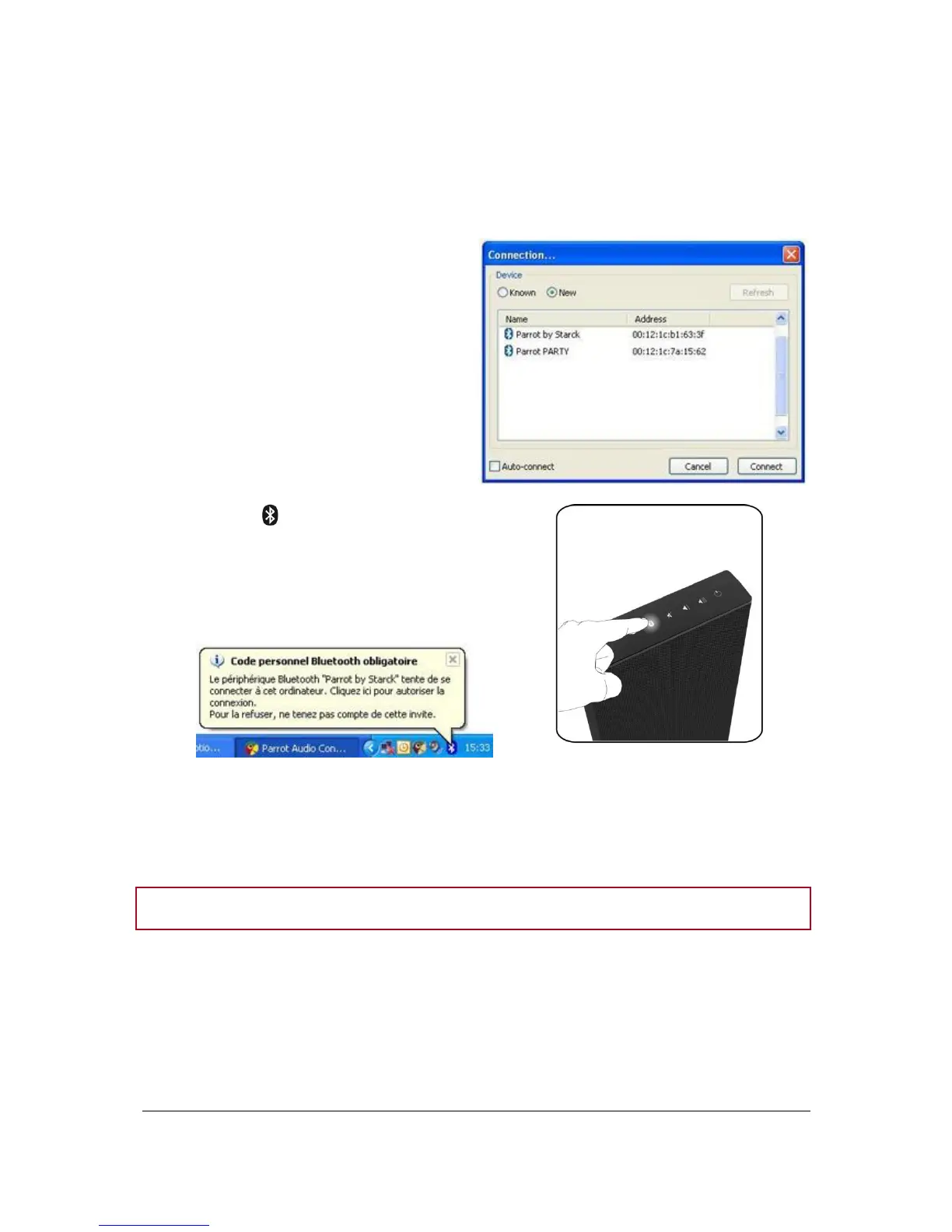
Establishing the connection using the Parrot Audio Configuration Tool
software
If your PC is equipped with the Widcomm Bluetooth software, use the Parrot Audio Configuration Tool
software to establish the connection.
1. Launch the Parrot Audio
Configuration Tool software.
> The Connection dialog box is
displayed.
2. Select the New option.
> The available Bluetooth devices list.
3. Press the button on the control panel.
4. Select the « Parrot by Starck » and click on
Connect.
> A pop-up appears in the bottom right on
your screen.
5. Click on this pop-up and enter « 0000 » in the Bluetooth PIN code field.
> A second pop-up may appear to confirm the connection.
6. Click on this pop-up and click on OK.
Note : Select the Auto-connect option to make the connection to the Zikmu automatic.


 To Next Page