a. Click on the Bluetooth icon.
b. Select the Parrot by Starck.
c. Select the Use Headphone option.
Establishing the connection with the Toshiba Bluetooth software
If you are using the Toshiba Bluetooth software, you have to connect the Zikmu to your computer
before using the Parrot Audio Configuration Tool. This step is only necessary once.
1. Double-click on the icon.
> The Bluetooth Parameters window is
displayed.
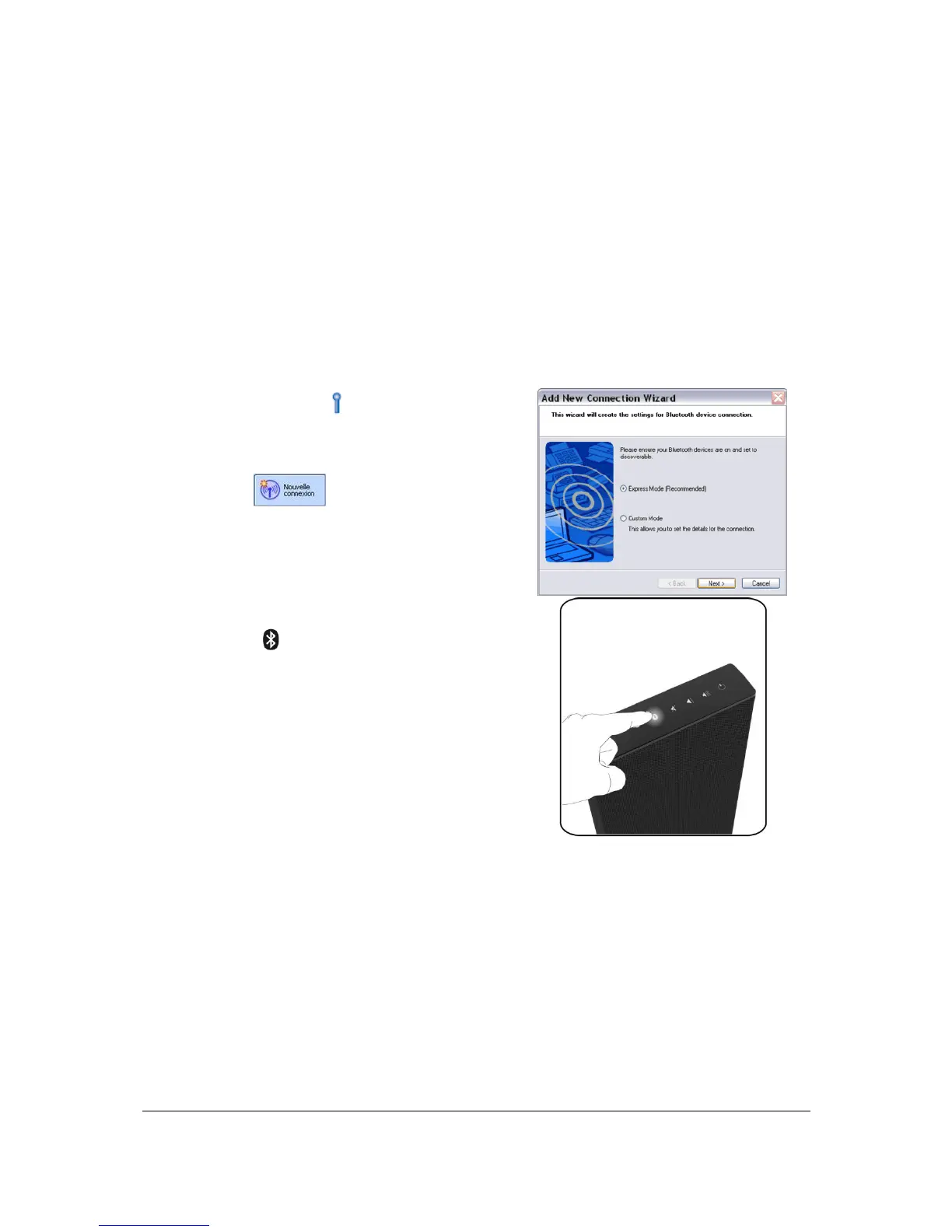
2. Click on .
3. Select Express Mode then click on Next.
4. Press the button on the control panel of
the Zikmu.
5. Select Parrot by Starck and click on Next.
> The Bluetooth security window is
displayed.
6. Enter « 0000 » in the Bluetooth PIN code
field.
7. Right-click on the Parrot by Starck icon and
select Connect.


 To Next Page