WARNING
- Use only a CR2032 battery.
- Dispose of used batteries in compliance with current
recycling legislation in the country of use.
Maintenance and precautions
To remove dust and fingerprints from the speakers, use a damp cloth.
Do not use any kind of cleaning agent on the Zikmu.
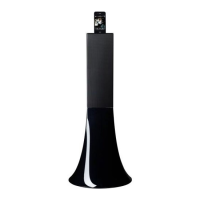
The Zikmu is a high technology product. Please handle the speakers with care.
Commands
Turning the speakers on / off
Press the button of the remote control or control panel to turn on / off the speakers.
Selecting an audio source
The Zikmu allows you to use several types of audio sources: PC connected via Wi-Fi,
computer or audio player connected via Bluetooth, iPod/iPhone, analogue audio player
connected via a Jack / Cinch audio cable.
Press the SOURCE button of the remote control to switch among the active audio
sources.


 To Next Page