Identifying the type of connection
The type of connexion you have to establish with the Zikmu depends on the model of your modem /
router: you have to determine whether it supports the SES or WPS technologies.
WPS (Wi-Fi Protected Setup) or SES (Secure Easy Setup) technologies allow you to
establish a secured connection between several Wi-Fi devices simply by pressing a
button.
To find out whether your modem supports SES or WPS technologies, refer to the
documentation of your device. If you do not have this documentation:
- your modem / router cannot support these technologies if you were equipped with
it before 2007 ;
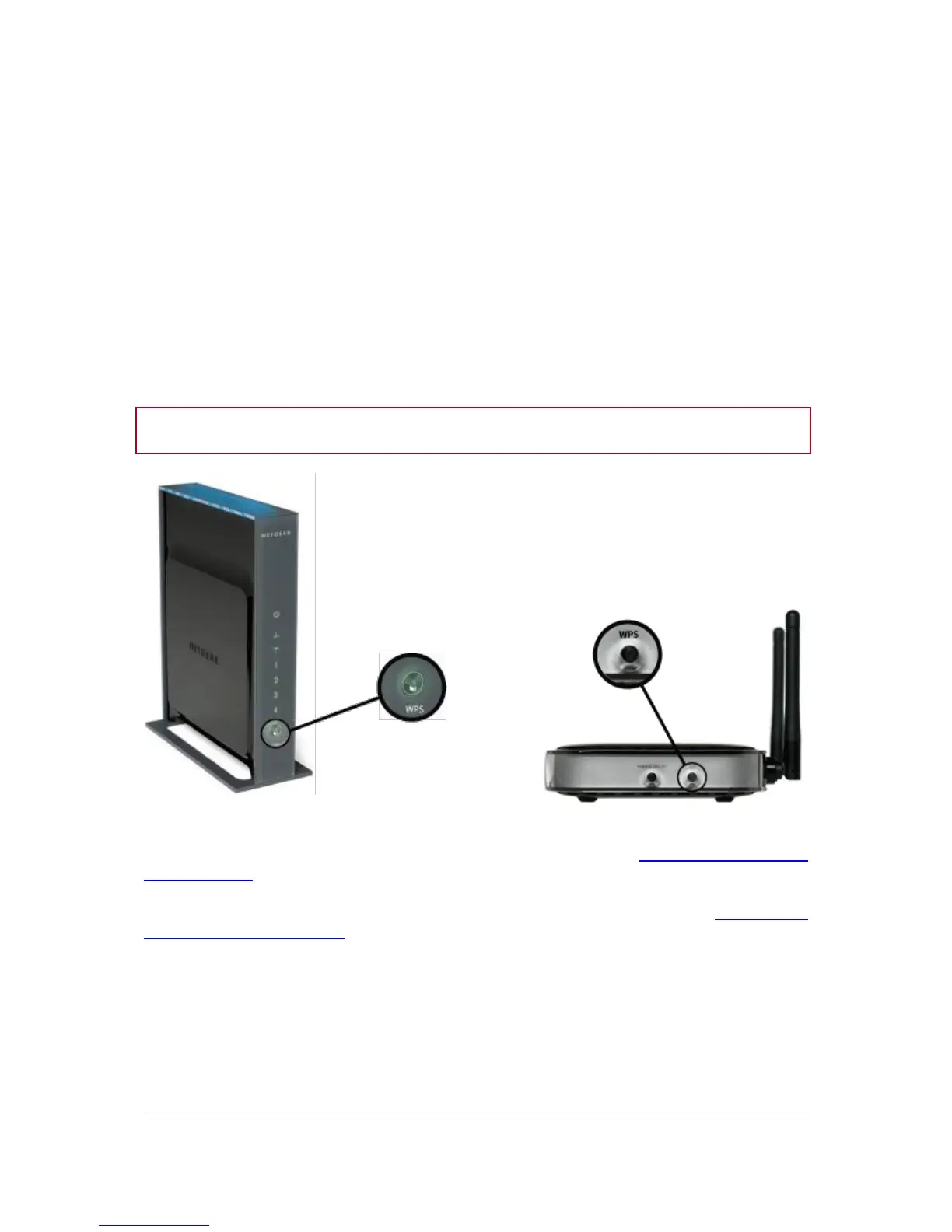
- there is a WPS button on WPS modems or routers.
► If your modem / router supports SES or WPS technologies, refer to the Establishing a connection
with SES / WPS section.
► If your modem / router does not support SES or WPS technologies, refer to the Establishing a
connection without SES / WPS section.


 To Next Page