Use the Parrot Audio Configuration Tool software to modify the parameters below.
► Refer to the Establishing the connection with the Parrot Audio Configuration Tool software section
for more information.
Audio parameters
Using the equalizer
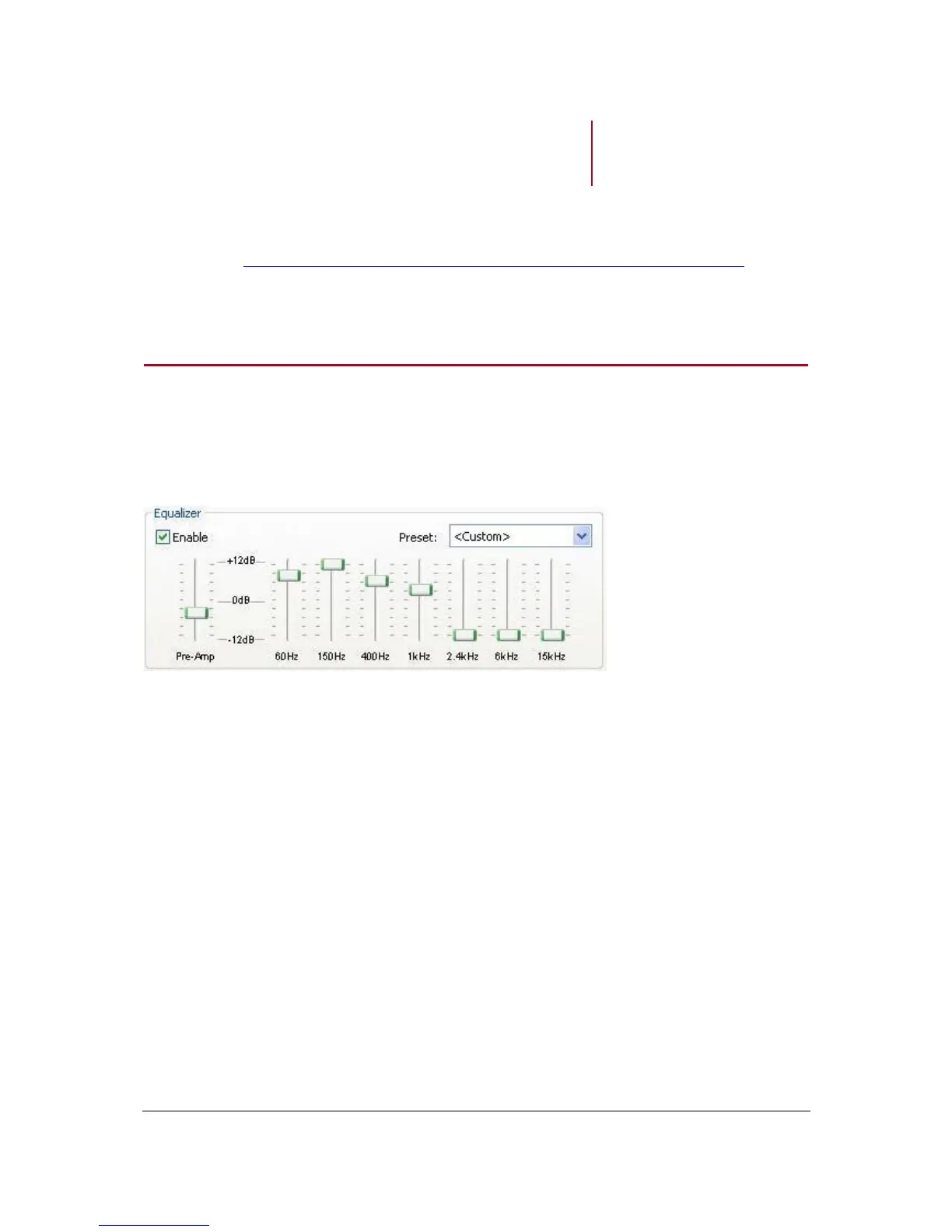
The equalizer is similar to the bass and treble controls on a stereo or radio.
To access this option, select the Audio tab.
Set up your preferences on bass, midrange and treble frequencies by dragging the left,
middle and right sliders respectively.
The pre-amp is the overall volume. Use it the same way than volume control.
You can choose one of the eleven equalizer presets (including jazz, rock, classical…) to
suit the style of music you are listening to. If you don’t find one corresponding to your
preferences, you can create your own presets while a song is playing. To do so :
1. Modify the frequencies according to your preferences.
> The Preset field changes to Custom.
2. Select Save in the Preset field.
3. Specify the destination, give it a name and save it.
> You can use this preset by selecting Load in the Preset field.


 To Next Page