Revision 25 of DOCU225, © Copyright
4.8 Sending WITS 01 Codes to the EDR
The EDR can receive the WITS 01 codes noted in the Default Pason WITS Codes table
on page 32, but it’s an advanced EDR feature that you need to use with caution.
Before you set up the EDR to receive WITS 01 codes, think about these important
points:
• Contact your Pason representative for assistance before you set this up. If
not properly configured, WITS 01 code data can cause the EDR to display
incorrect values and negatively impact other applications.
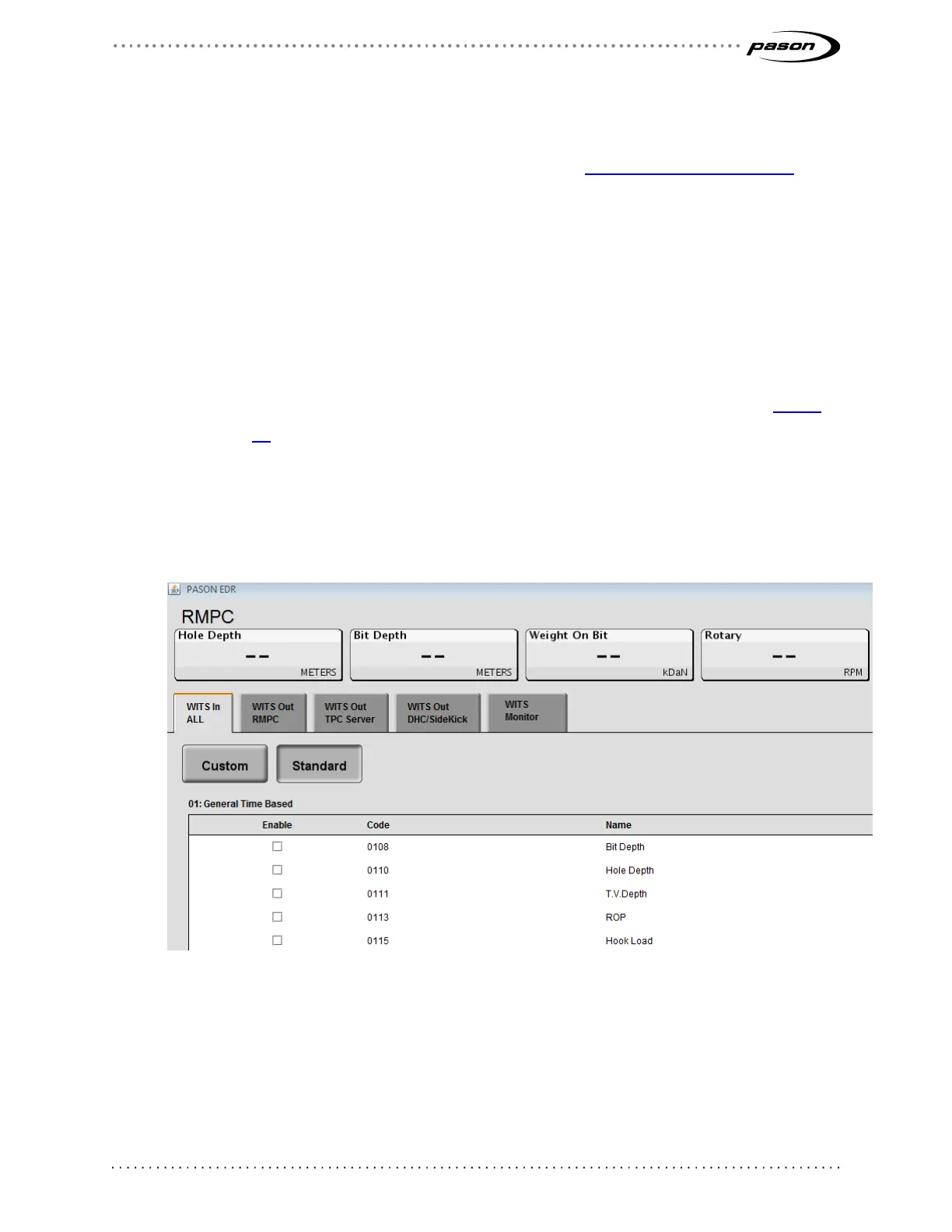
• You’ll find the WITS in All tab on the WITS setup screen in the EDR (Figure
14).
• The EDR receives diff. pressure on code 0150 (even though it sends diff.
pressure on code 0171).
• If you send diff. pressure to the EDR, you must also send standpipe pressure
(0121).
Figure 14: WITS in All tab
4.9 Sending Gamma and Gamma Lag Calc
When sending Gamma (code 0824) and Gamma Lag Calc (code 0821) data to the EDR,
make sure you meet these packet and frequency requirements:



 To Next Page