1 Westleigh Oce Park,
Scirocco Close, Moulton Park,
Northampton, NN3 6BW
0333 123 1243
www.libertypay.co.uk
info@libertypay.co.uk
PAX A920
How to Change
the Paper Roll
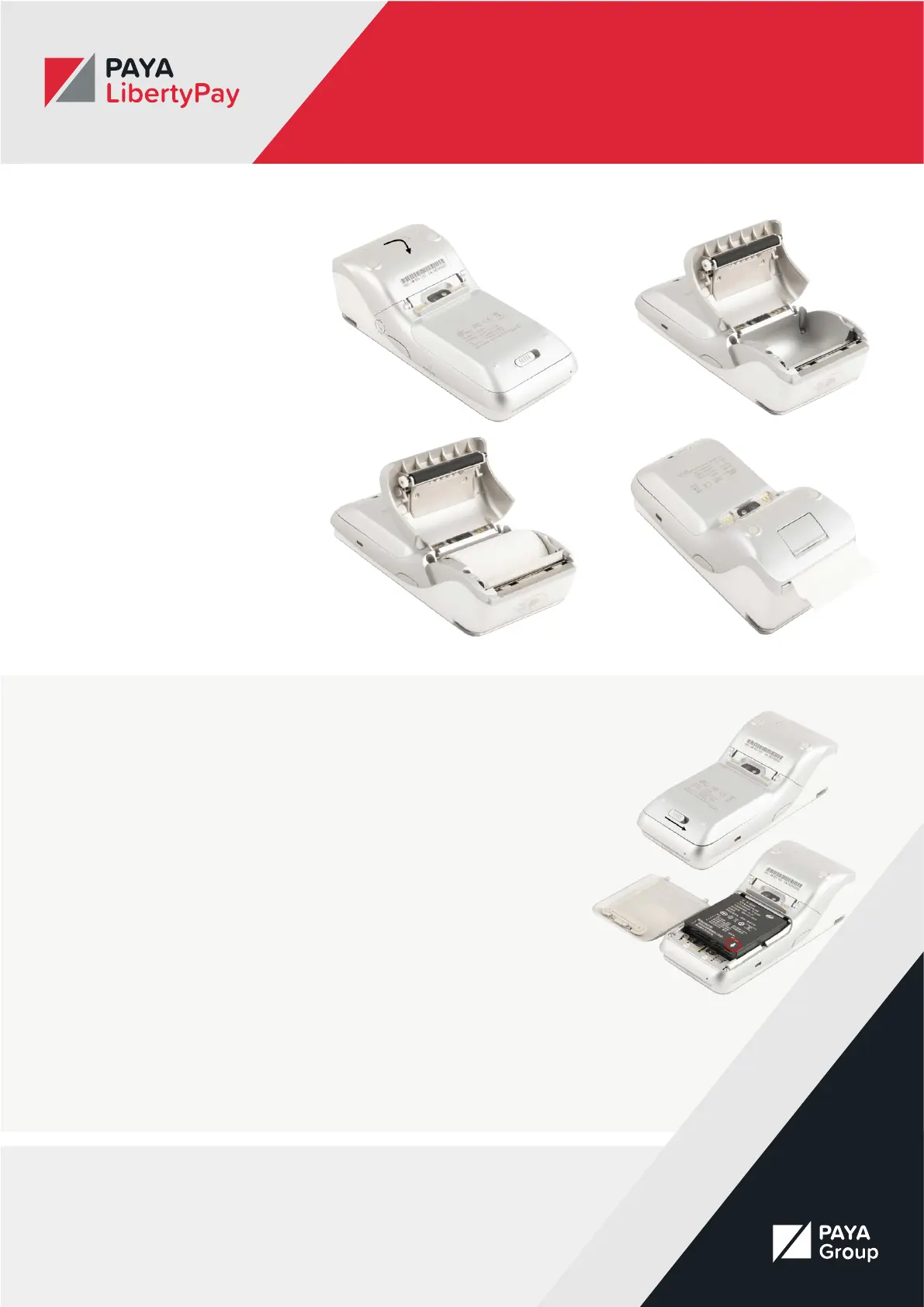
To remove and replace the thermal
paper roll, turn the terminal over.
Near the top back side of the
terminal place your nger under the
paper lid release lever and pull the
entire lid assembly away from the
terminal. To remove the paper, roll
simply pull the paper roll out.
To install a new thermal paper roll,
drop in the paper roll with the paper
pulling from the back and out the
top of the roll. Pull about 2” of paper
out and close the lid until the lid
snaps into place. It is important the
lid is fully closed so that the paper
roll fully engages the paper. Tear o
any excess paper.
Removing & Replacing the Battery
To remove and replace the battery,
position the A920 to show the
backside of the terminal.
Next locate the battery cover and
slide the lock slide switch to the
right.
The lock slide switch is tightly
secured, we recommend that you
apply pressure using your ngernails
rather than your thumb. Lift the
battery cover from the base and
pivot the lid upwards and remove.
Next lift the battery from the bottom
side and swing it upwards from the
bottom and pull out.
To install a battery, rst remove the
protective cover over the battery
connectors. Then insert the battery
with the gold connectors towards
the top right side.
Slide the battery upwards and then
carefully push the bottom into place.
Insert the top of the battery lid into
the lid hinges and then lower the
bottom of the lid cover until it is
ush with the case.
Slide the lock slide switch back to
the left.



 To Next Page