1 Westleigh Oce Park,
Scirocco Close, Moulton Park,
Northampton, NN3 6BW
0333 123 1243
www.libertypay.co.uk
info@libertypay.co.uk
PAX A920
Power On/O
You can turn on the A920 by
pressing and holding the small
rectangle button on the right side
of the terminal for 2-4 seconds and
then release.
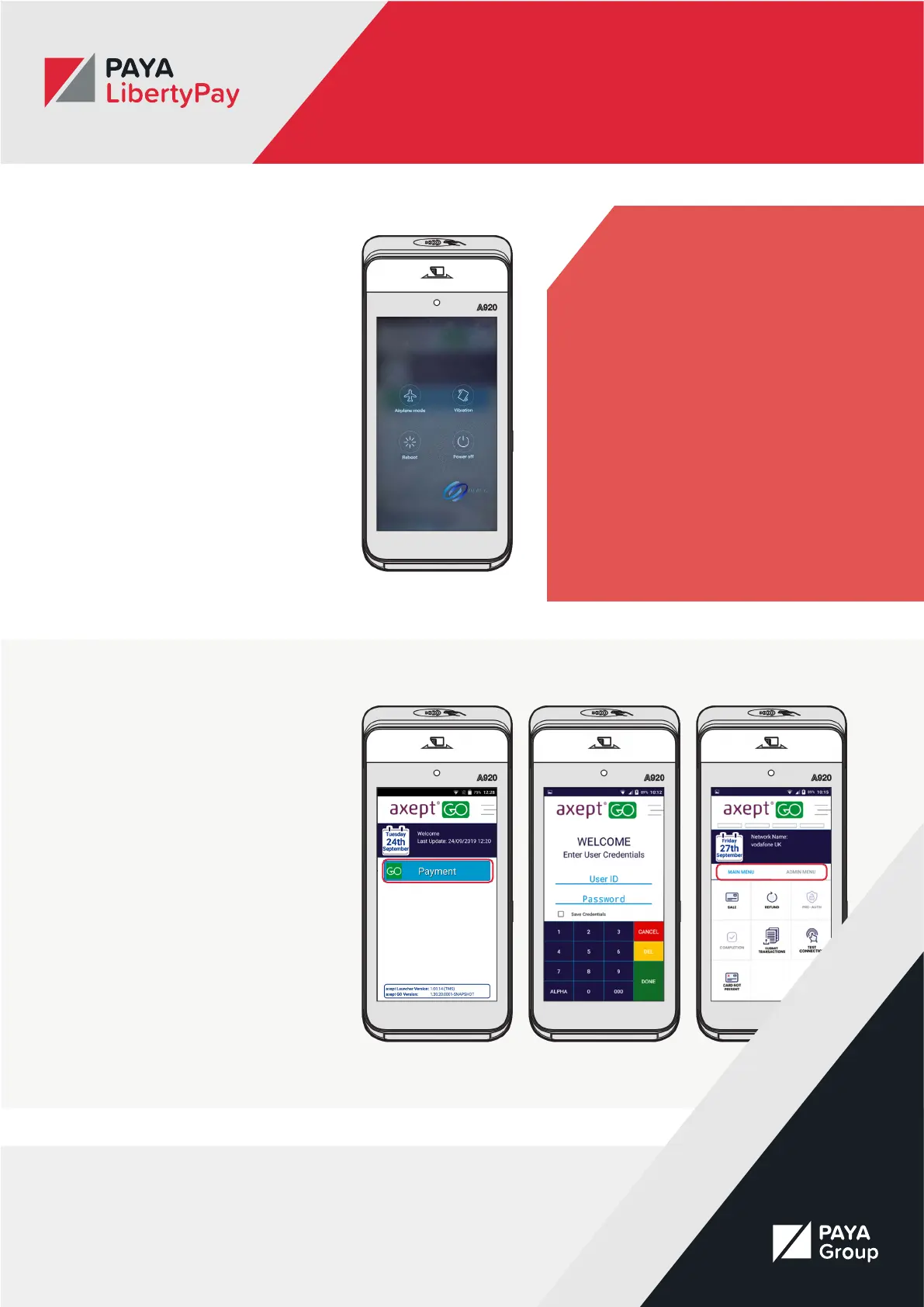
To turn o the device hold down the
same button until you are presented
with the four options:
• Airplane mode
• Vibration
• Reboot
• Power o
Select ‘Power O’, then select again.
The device will then shut down.
Accessing the Menu &
Logging in
Once you have turned on your
device you will be presented with
the axept GO home screen. This will
display the Burger Menu in the top
right corner, the date and time and
a blue “Payment” button.
Select the blue “Payment” button
and wait for the User Credentials
screen to load. You will be asked
to login using your User Id and
Password.
Once you have logged in you will be
taken to the menu screen. This is
split into “Main Menu” and “Admin
Menu”.
Charging Instructions
Before starting up the A920, the
battery should be fully charged.
Charge the device by plugging the
USB end of the cable into a PC or
power supply and then plug the Mini
USB end into the port on the left
side of the terminal.
Charge the battery until full.



 To Next Page