1 Westleigh Oce Park,
Scirocco Close, Moulton Park,
Northampton, NN3 6BW
0333 123 1243
www.libertypay.co.uk
info@libertypay.co.uk
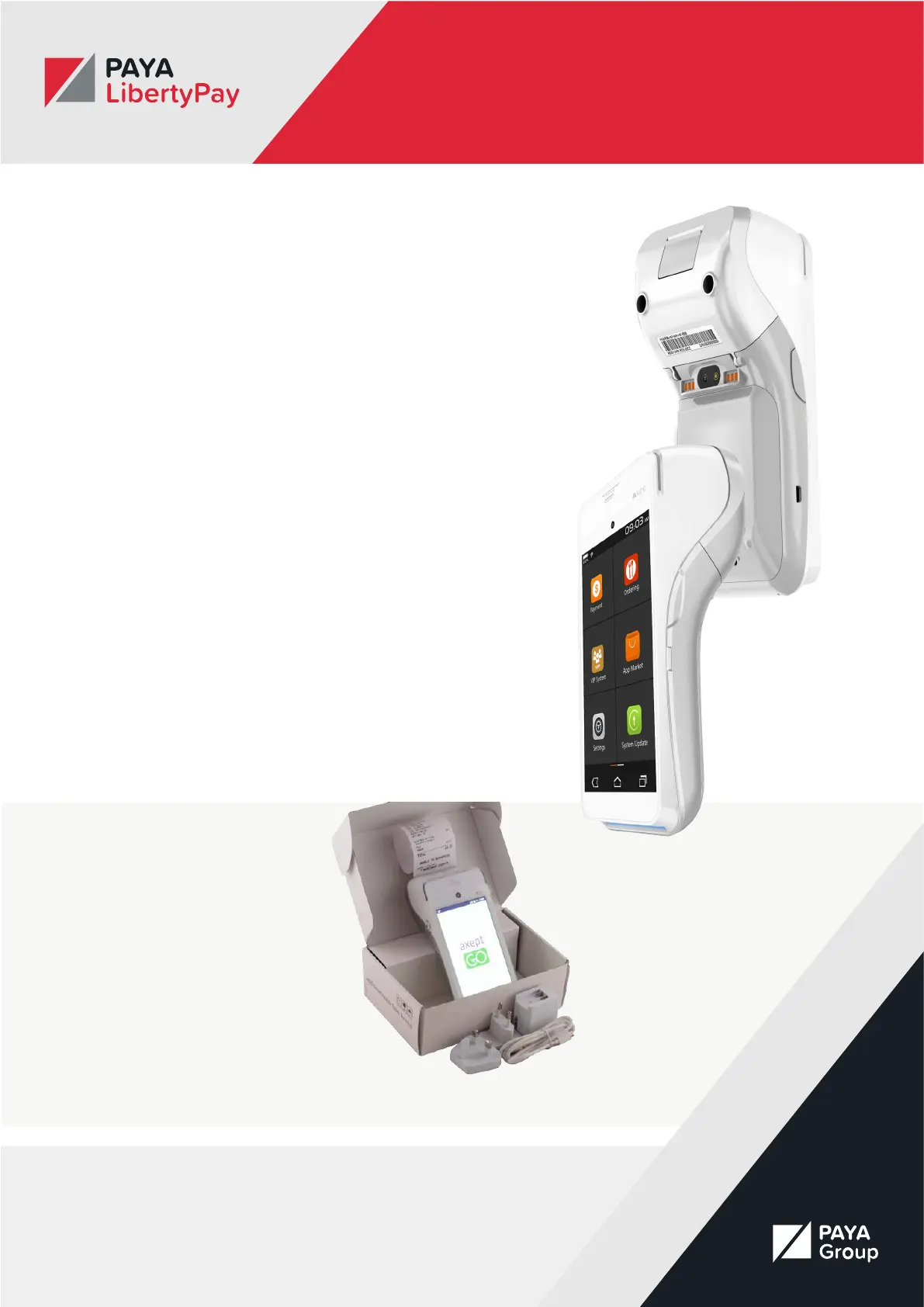
PAX A920
Introduction
The PAX A920 is an impressively designed premium
payment device, combining the featuresof an Android
tablet with a powerful payment terminal. It accepts a
variety of paymentmethods, including contactless, QR
code scan, mobile and wallet payments, Chip & PIN
andMagstripe. With Wi or 4G connectivity, the A920
can operate with your own WIFI network orin mobile
environments.
Your Account
The LibertyPay team will make sure your A920 is set up
and ready to use straight outof the box, saving you time
and ensuring you’re ready to collect card payments right
away.
All you need to do is login and connect to your WIFI. If
you have a 4G model of the A920, yourSIM will already
be installed on your device and should automatically
connect to 4G.
You will be provided with a user ID and password to log
into the A920 device prior todelivery. You can also track
your payments on your Merchant Portal.
What’s in the box
The PAX A920 includes the
followingitems in the box:
• A920 Terminal
• Three-pin plug power adapter
• European power adapter
• USB to Micro USB cable
• Thermal paper roll



 To Next Page