1 Westleigh Oce Park,
Scirocco Close, Moulton Park,
Northampton, NN3 6BW
0333 123 1243
www.libertypay.co.uk
info@libertypay.co.uk
PAX A920
Printing Receipts
Most receipts will automatically print
at the end of a transaction. When
taking Contactless payments you will
be asked if you require a customer
copy of the receipt.
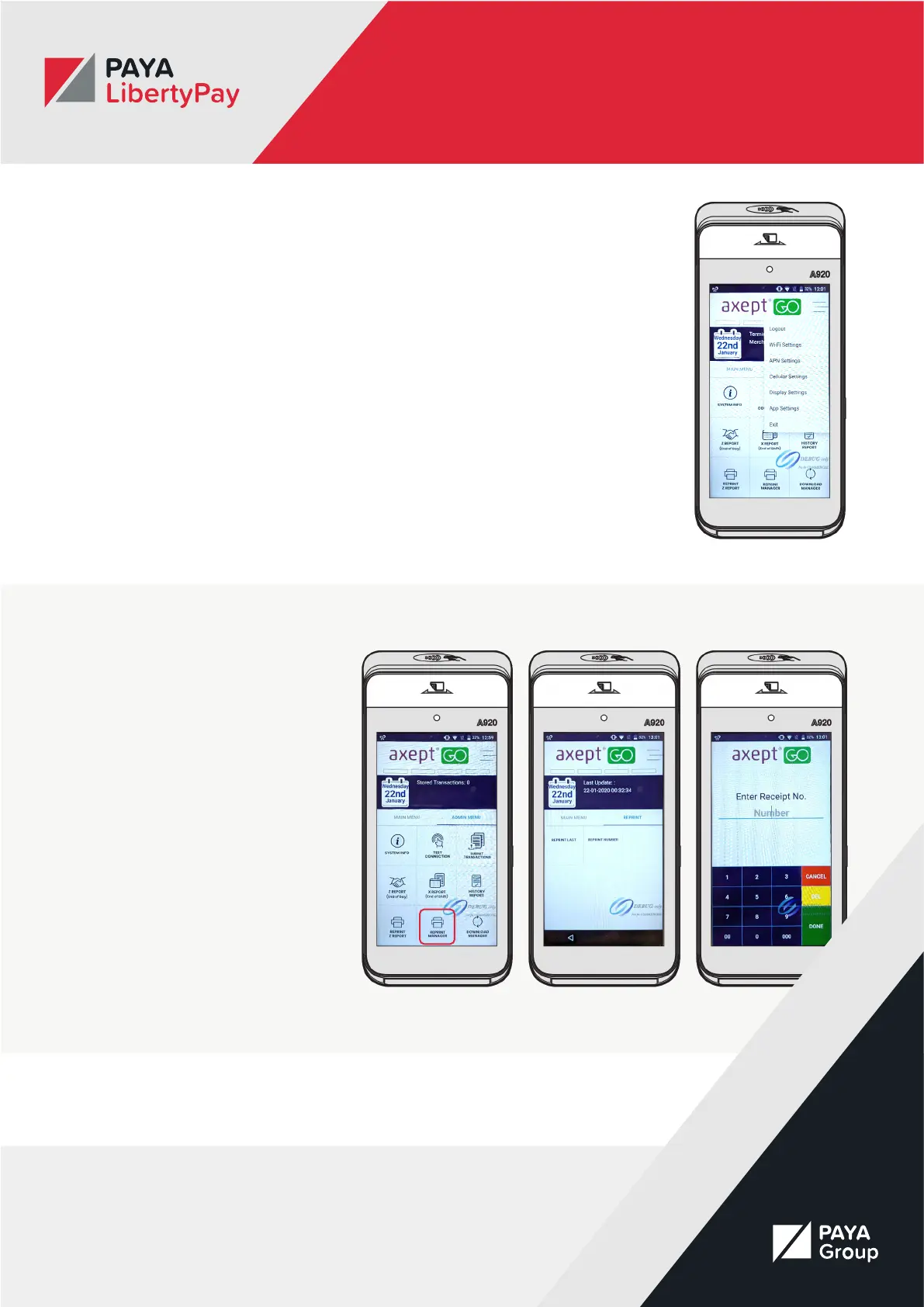
You can change your receipt printing
preferences by:
• Navigating to the Main Menu
• Selecting the Burger Menu in the
top right corner
• Selecting App Settings from the
dropdown menu
• Changing your receipt settings
Reprinting Receipts
f you need to reprint a receipt you
can do this by accessing the Admin
Menu and selecting the “Reprint
Manager” button. You will be given
the option to either reprint the last
receipt or reprint a specic receipt
by entering the receipt number. You
will nd the receipt number on your
Merchant copy of the receipt.



 To Next Page