13
CUSTOMIZING THE BATCH / DEFAULT REPORT
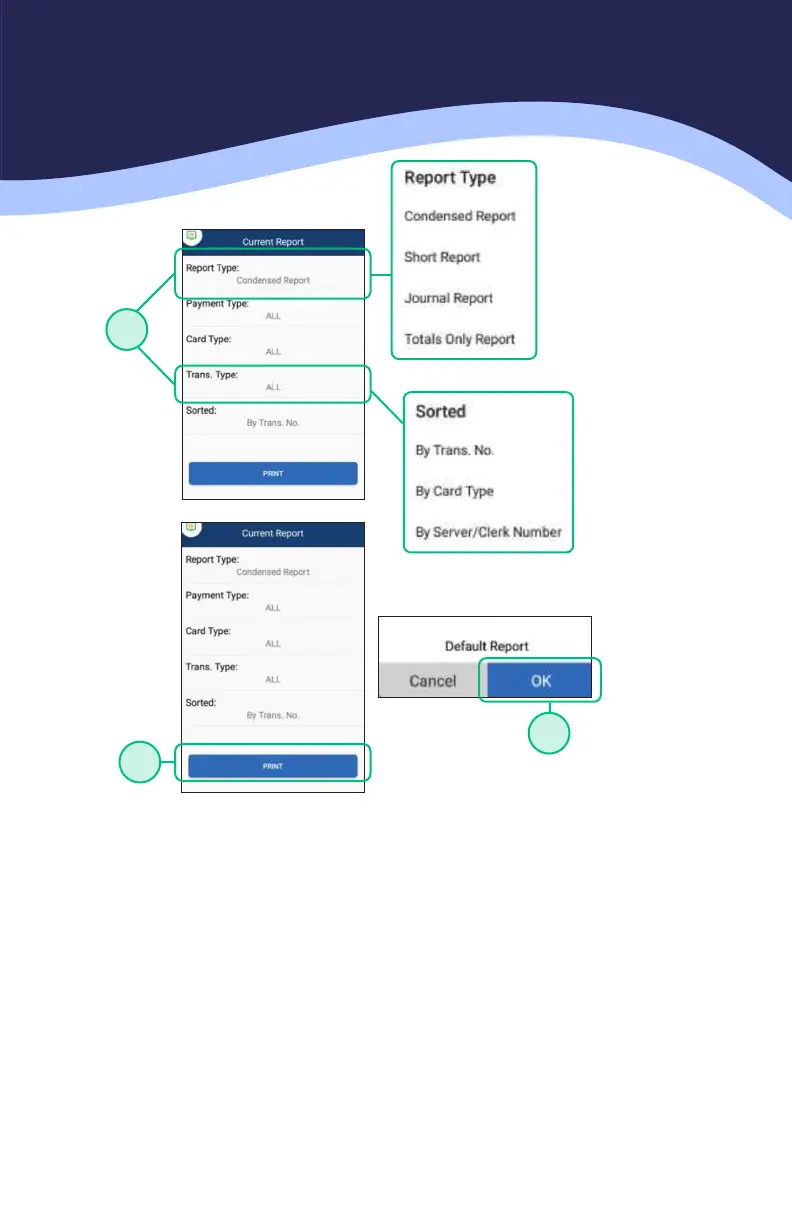
5. Choose the REPORT TYPE and how you want the transactions on the report
to be SORTED.
6. Once the report type is chosen with the appropriate filters, choose the
option for PRINT.
7. To set this as the new Default report press OK. If you do not want this set as
the default report and only wish to print, press the CANCEL option.
6
7
5



 To Next Page
 Loading...








