4
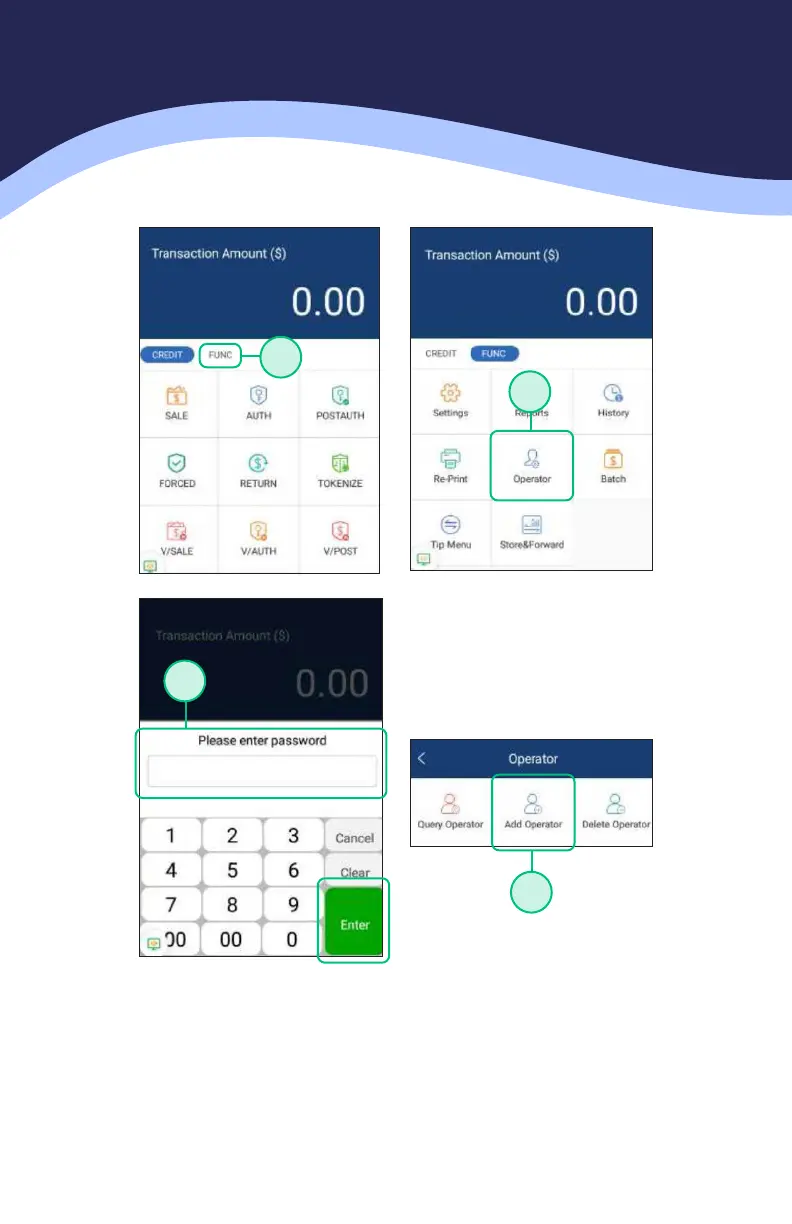
ADDING SERVER / CLERK IDS
1. Choose the FUNCTION option in the payment app.
2. Choose the OPERATOR option in the function menu of the payment app.
3. Enter in the password and press either the ENTER key on the screen OR the
green button on the terminal keypad. The default password is the day’s date
in mmddyyyy format.
4. Press the option for ADD OPERATOR.
1
2
3
4



 To Next Page
 Loading...








