14
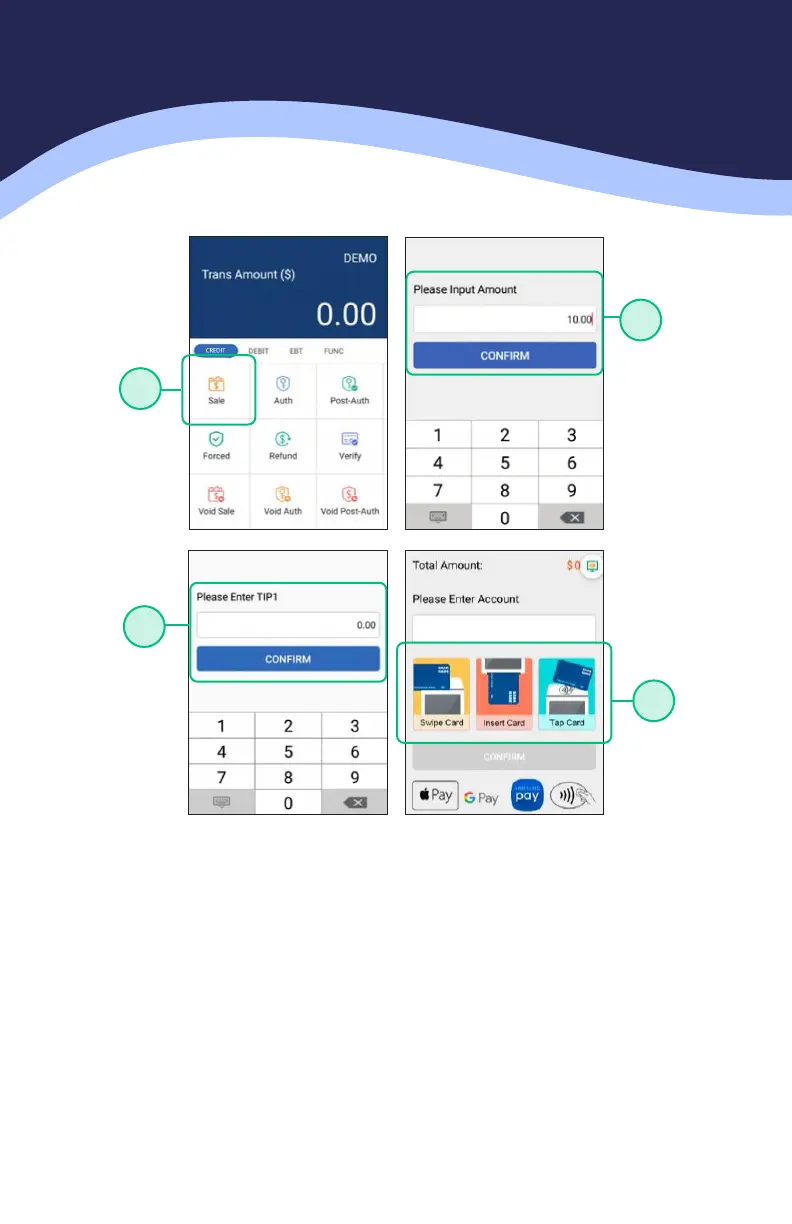
CREDIT SALE
1. From the idle screen select the transaction type SALE.
2. Please enter the sale amount and select CONFIRM.
3. RESTAURANT ONLY: Enter the tip amount and select CONFIRM or enter 0 for
no tip or select CONFIRM to bypass tip entry and add the tip later.
4. Insert, swipe or manually enter the card number.
1
2
3
4



 To Next Page
 Loading...








