PAX A920 Setup Guide
A Global Payments Company Page 3
Configuring the A920 in CRE
Credit/Debit Payment Setup
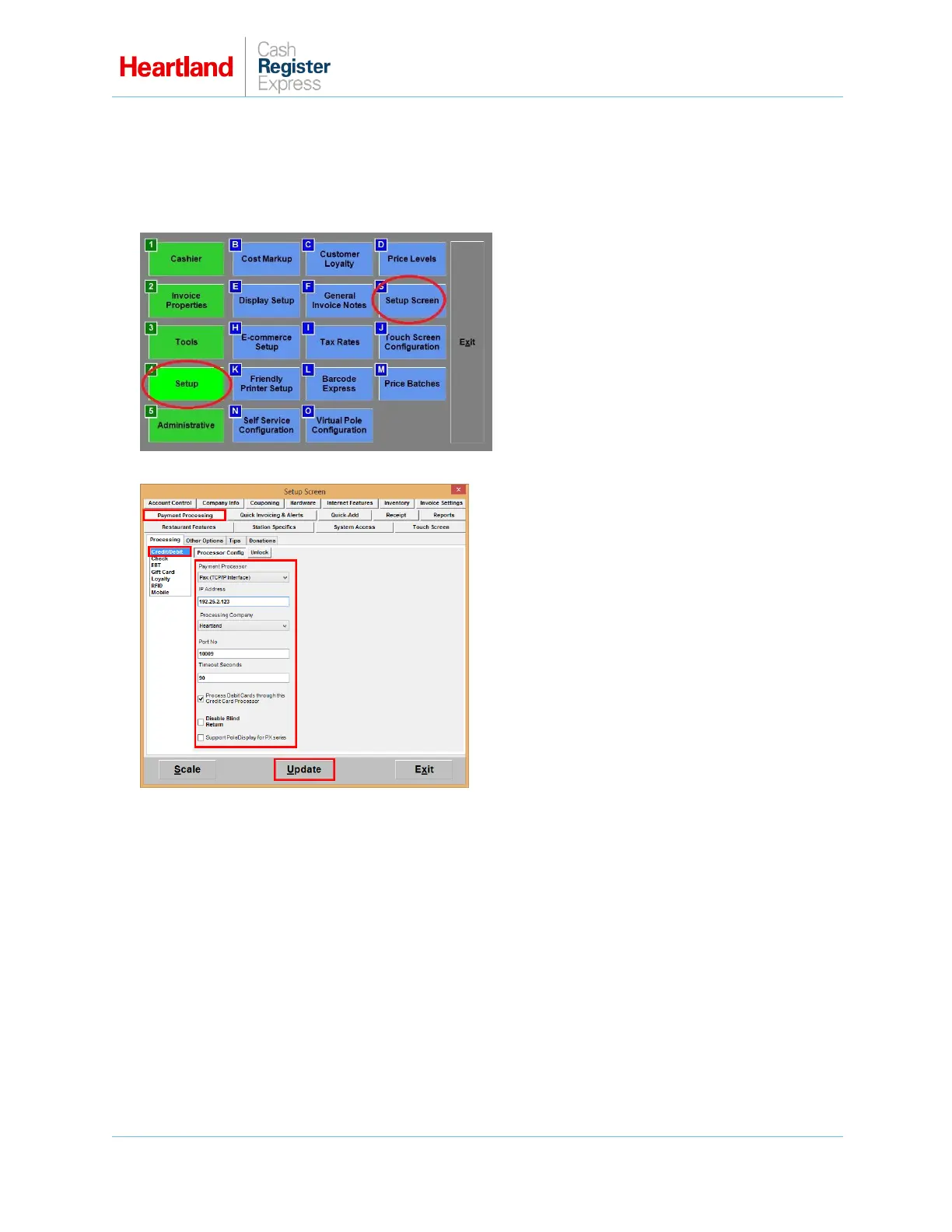
1 From the Options/Manager screen, select Setup, then Setup Screen.
2 From the Payment Processing tab, select the Processing subtab, and then select Credit/Debit.
3 From the Payment Processor list, select PAX (TCP/IP Interface).
4 Enter the static IP address assigned to the PAX.
5 From the Processing Company list, select Heartland.
6 Enter 10009 for Port No.
Optional:
If you are set up with Heartland to process debit cards, put a check in the box next to Process
Debit Cards.
Put a check in the box next to Disable Blind Return if you wish to require original receipt
information when processing a return.
7 Select Update to save your changes.



 To Next Page
 Loading...













