PAX A920 Setup Guide
A Global Payments Company Page 4
EBT Payment Setup
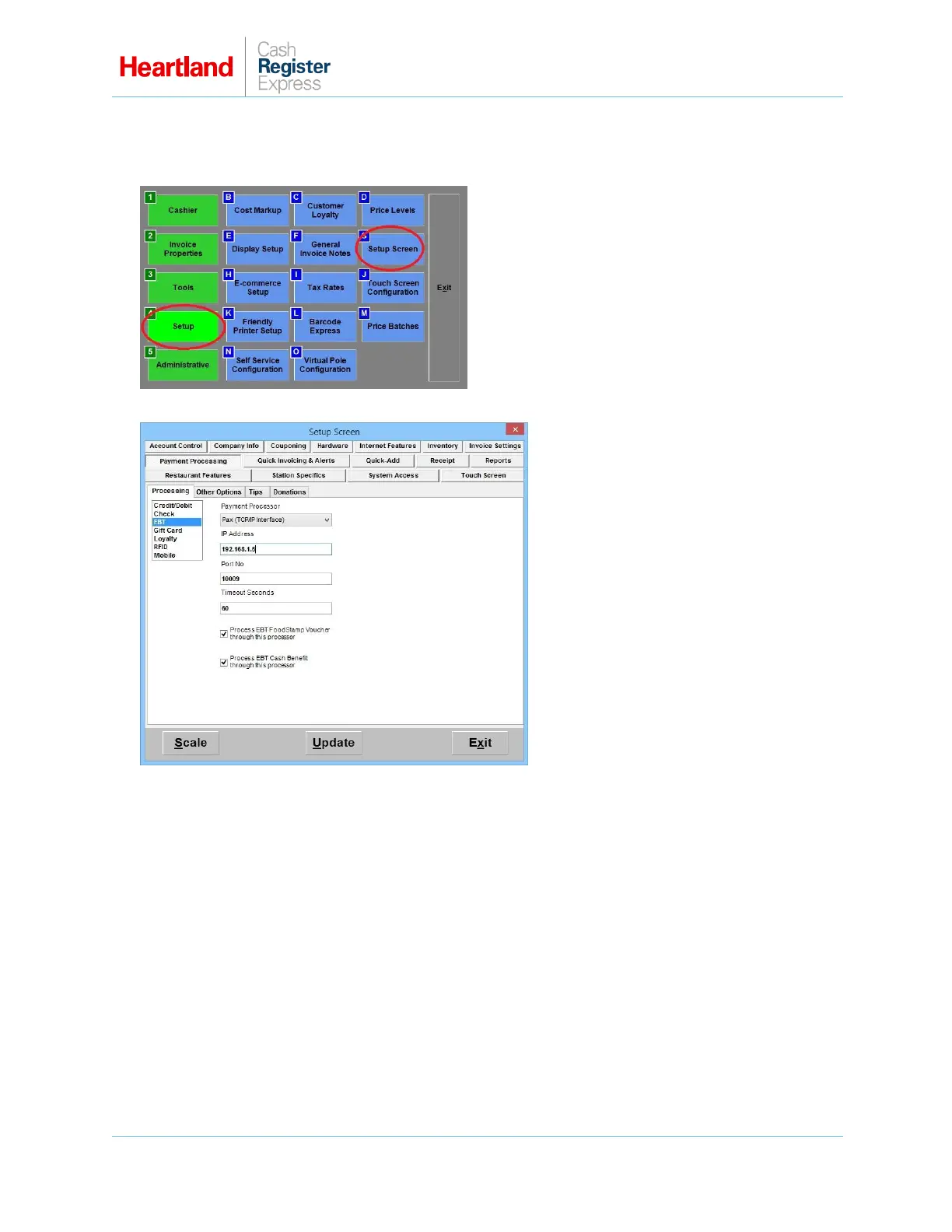
1 From the Options/Manager screen, select Setup, then Setup Screen.
2 From the Payment Processing tab, select the Processing subtab, and then select EBT.
3 From the Payment Processor list, select PAX (TCP/IP Interface).
4 Enter the static IP address assigned to the PAX.
5 From the Processing Company list, select Heartland.
6 Enter 10009 for Port No. and check appropriate boxes to indicate accepted EBT payment types.
Enabling Process EBT Foodstamp Voucher determines if FoodstampVoucher is an option in
the EBT payment type prompt in CRE.
Enabling Process EBT Cash Benefit determines if Cash Benefit is an option in the EBT
payment type prompt in CRE.
7 Select Update to save your changes.



 To Next Page
 Loading...













