Date: 08-20-2019 15 PAX Customer Support
Version: 1.0 support@pax.us
(877) 859-0099
www.pax.us
9 Install SIM or Micro SD Card
Remove all power from the E700 before you install a SIM or
Micro SD card.
To install a SIM card or Micro SD card:
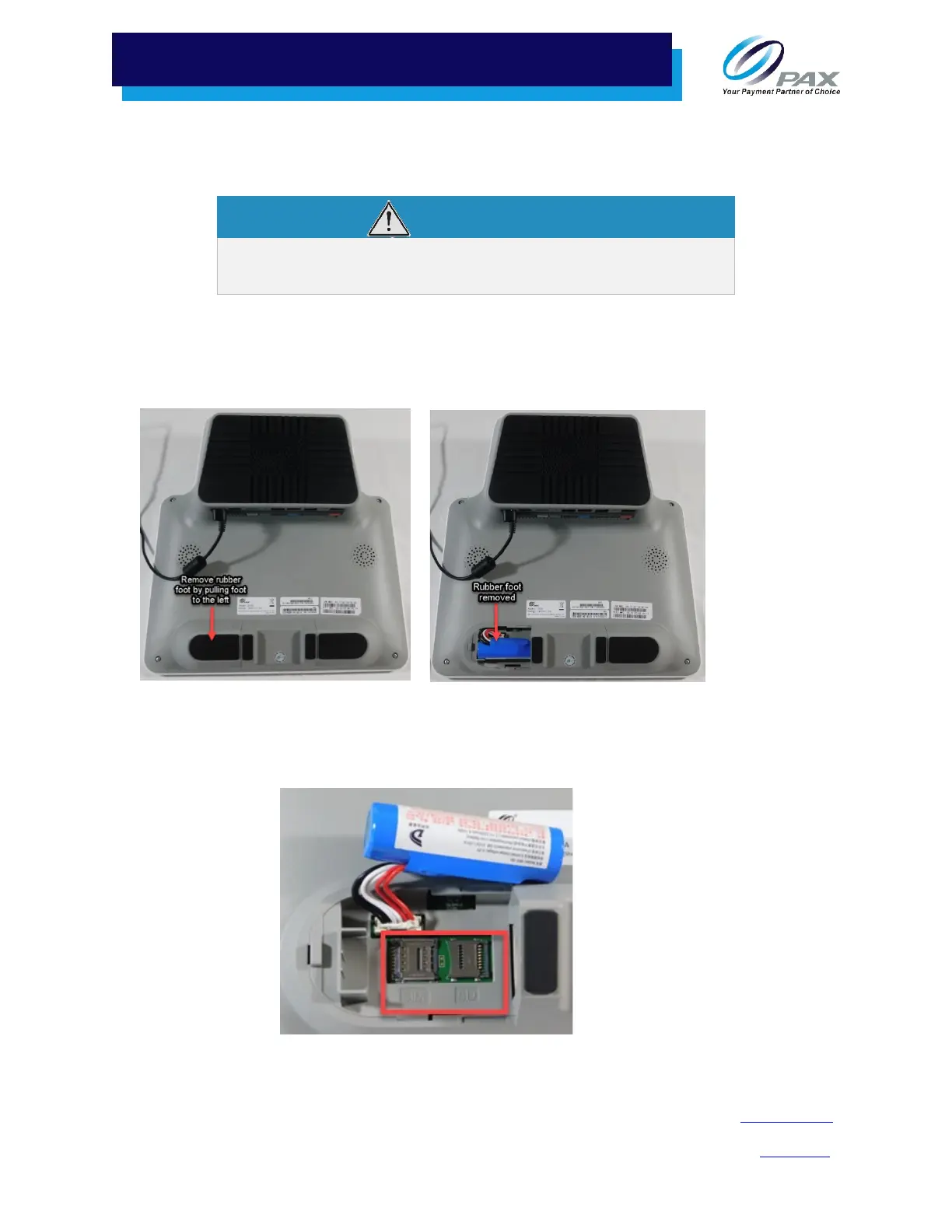
1. Carefully position the E700 so you have access to the bottom of the unit.
2. Remove the left foot by pulling the foot to the left.
Rubber Foot on Left Side Rubber Foot Removed
3. Lift the battery to access the SIM and SD card slots.
4. Insert the SIM and/or Micro-SD card into the slots and replace the battery and rubber foot.
SIM/SD Ports



 To Next Page