Date: 08-20-2019 40 PAX Customer Support
Version: 1.0 support@pax.us
(877) 859-0099
www.pax.us
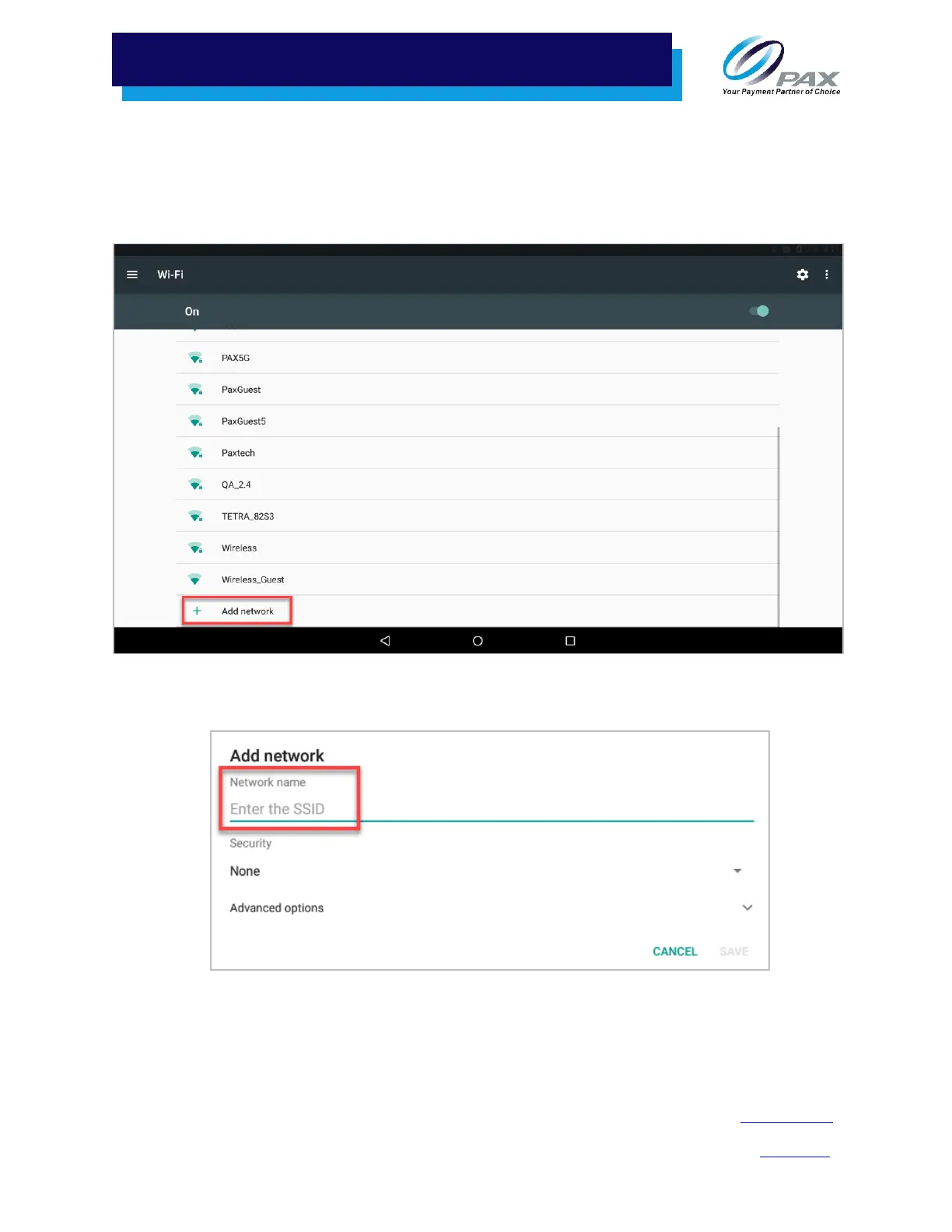
After you turn on Wi-Fi, a list of available Wi-Fi networks displays. Local networks that have the
SSID broadcast option enabled are listed, but if the desired network you need is not listed, you
will need to manually configure the network.
5. Scroll to the bottom of the Wi-Fi screen and select Add network.
Add Network
6. Enter the case-sensitive network SSID.
Enter SSID



 To Next Page