Need help?
Do you have a question about the PCTEL SeeGull and is the answer not in the manual?
Describes the document's aim to guide users through the setup and functionality of the CW Transmitter for network testing.
Explains the SeeGull CW Transmitter's function in in-building network design, verification, and optimization, covering frequency range and applications.
Lists the key features of the CW Transmitter, including transmitter mode, frequency, power, saved channels, interface, battery, and warranty.
Provides critical safety warnings regarding lightning protection and outdoor use for the CW Transmitter.
Details the items included in the customer shipping package for the SeeGull CW Transmitter, including the device and charger.
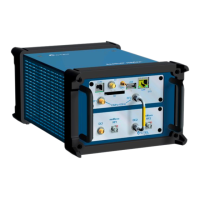
Identifies and describes the physical interface components of the CW Transmitter, such as antenna port, LCD screen, keypad, and charger socket.
Explains the functionality of each button on the CW Transmitter keypad, including navigation, editing, and special functions.
Illustrates and explains the elements displayed on the CW Transmitter's LCD screen, including charging status, RF transmission, menu titles, and battery life.
Outlines the initial steps required before operating the CW Transmitter, including connecting the charger, powering on, and connecting antennas.
Details the main menu structure and sub-menus of the CW Transmitter, covering Start Test, Saved Channels, New Channel, Settings, and Memory Status.
Guides users on initiating a test scenario, editing parameters, activating ports, and saving or recalling configurations for future use.
Provides contact details for PCTEL departments, including customer support, quality manager, and sales, with phone numbers and email addresses.
Lists available service options for the CW Transmitter, including full calibration and RMA evaluation fees.

 To Next Page

 General