SeeGull CW Transmitter User Guide
Rev. D PCTEL 10
6. Save: Save current configuration for future use.
7. Edit Key:
• Prompts edits of selected value or Channel name.
• When a Freq or Amp field is selected, pressing enables fine-tune
adjusting with arrow keys.
• Inputs decimals when entering a specific Freq MHz.
• Inputs negative symbol when editing Amp dBm.
8. RF ON/OFF: Starts or stops RF transmission.
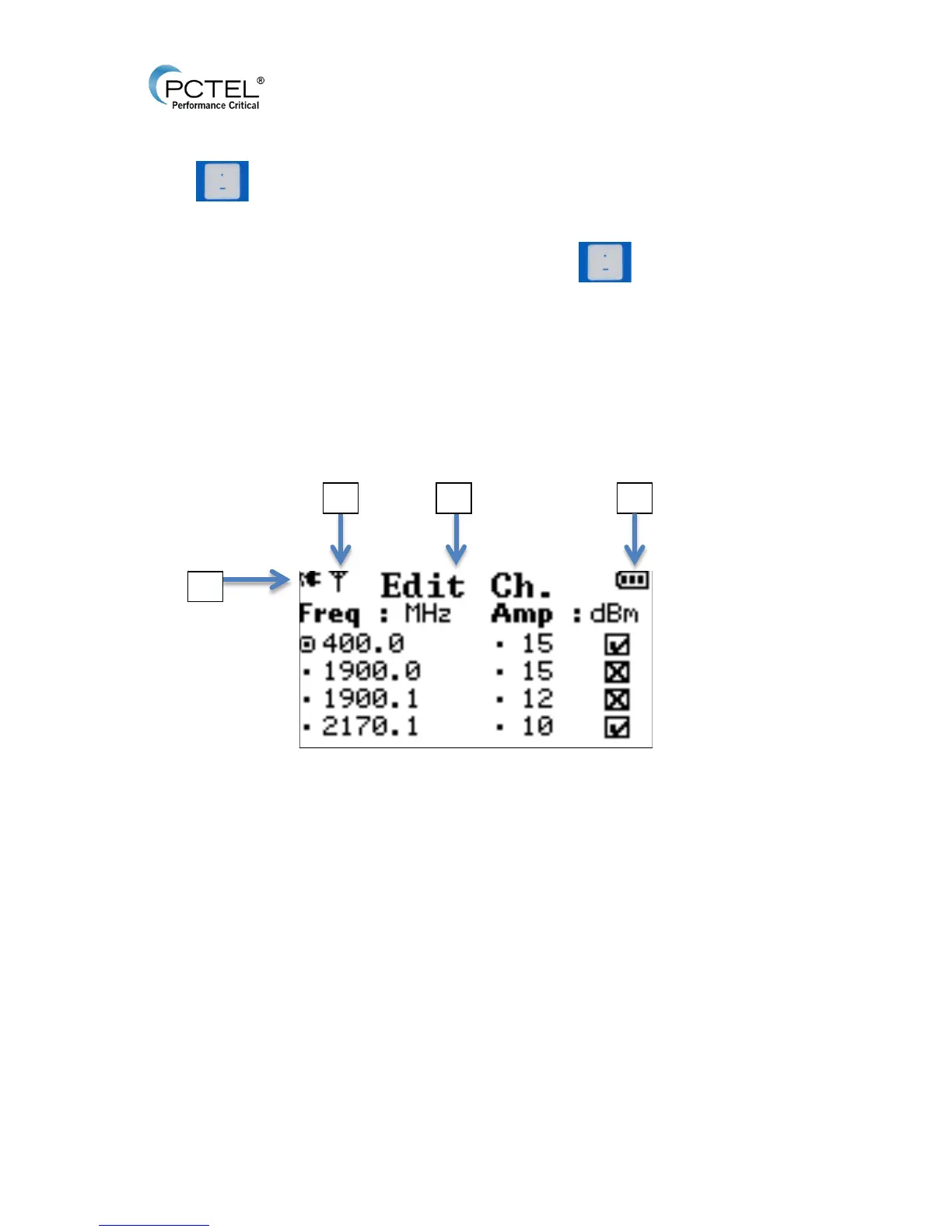
3.4 Screen Display
Figure 4 - Screen Display
1. Charging Icon.
2. RF Transmission ON.
3. Menu Title.
4. Battery Life.


 To Next Page