PDI-P20LCD User Manual
Document Number: PD196-040 Rev4
- 11 -
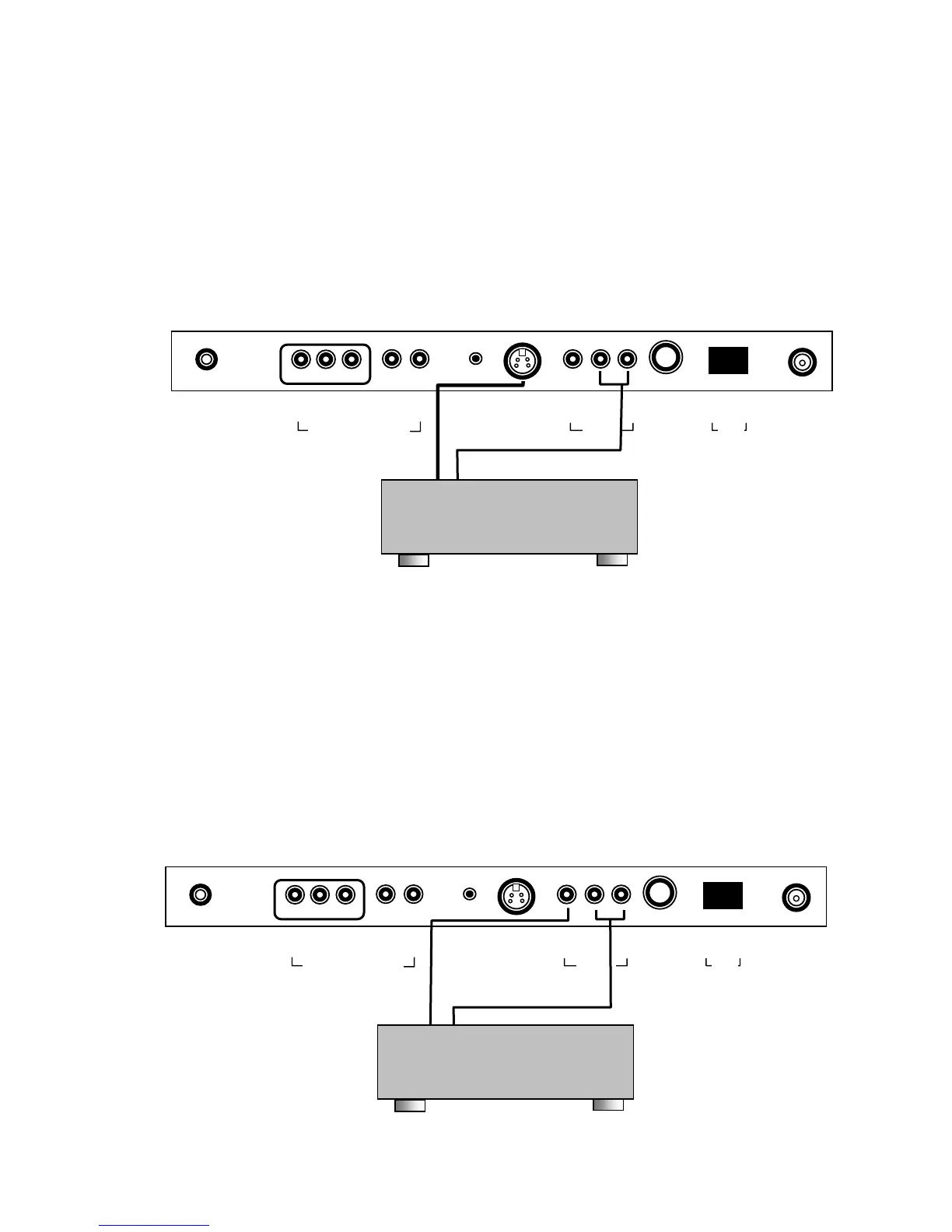
S-VIDEO (VCR or DVD)
Many VCRs provide S-Video signals for improved picture quality.
1. Connect the S-VIDEO output of a VCR to the S-VIDEO input on the TV.
2. Connect the audio cables from the S-VIDEO VCR to the L(MONO) R inputs of the TV.
3. Select S-VIDEO mode by pressing the TV/AV button repeatedly. The TV’s TV/AV button
may be disabled to prevent patient or visitor tampering – see the “Special” menu and
“Lock” instructions elsewhere in this manual for details.
4. Press the PLAY button on the VCR.
A/V IN (VCR)
1. Connect the audio outputs from the VCR (L, R) to the A/V in on the TV.
Connections are color code.
2. Connect the video output from the VCR to the A/V in on the TV.
Connection is color-coded.
3. Select VIDEO mode by pressing the TV/AV button repeatedly. The TV/AV button can be
disabled using the remote control to prevent patient or visitor tampering – see the
“Special” menu and “Lock” instructions elsewhere in this manual for details.
4. Press the PLAY button on the VCR.
0 I
▲
ANT.
▲
S-VIDEO
▲
H/P
▲
PILLOW
▲
DC 15V
▲ ▲
OFF ON
▲ ▲ ▲
VIDEO L(MONO) R
▲ ▲ ▲
Y CB CR
▲ ▲
L R
COMPONENT IN
/V IN
SPK
S-VIDEO VCR or DVD
0 I
▲
ANT.
▲
S-VIDEO
▲
H/P
▲
PILLOW
▲
DC 15V
▲ ▲
OFF ON
▲ ▲ ▲
VIDEO L(MONO) R
▲ ▲ ▲
Y CB CR
▲ ▲
L R
COMPONENT IN
/V IN
SPK
VCR



 To Next Page