PDI-P20LCD User Manual
Document Number: PD196-040 Rev4
- 10 -
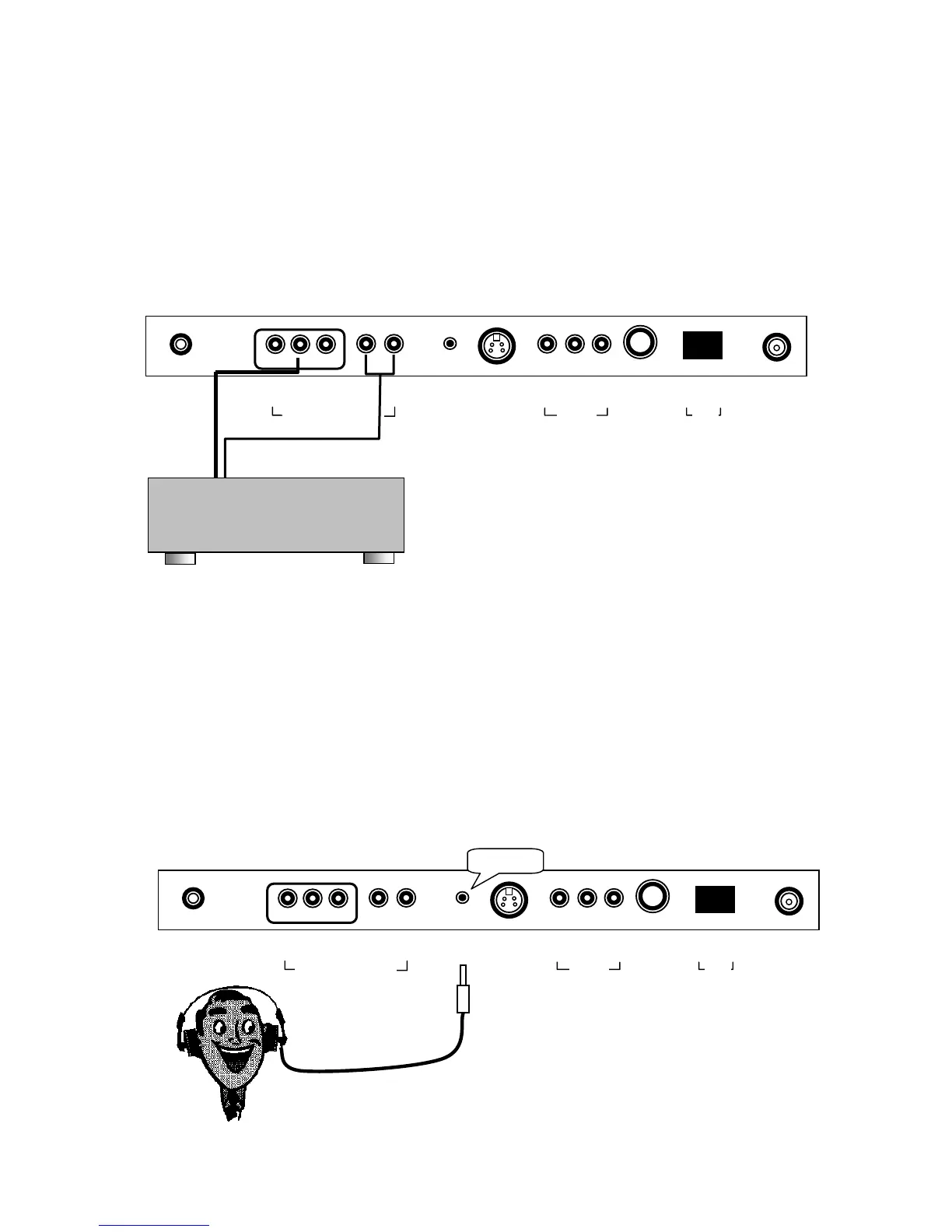
COMPONENT IN (DVD)
1. Connect the Video outputs (Y CB CR) on a DVD to the COMPONENT IN of the TV.
Note: The cable and connectors are color coded – just match the colors.
2. Press the TV/AV button to select Component mode. The mode is displayed at the top
right of the screen. The TV’s TV/AV button may be disabled to prevent patient or visitor
tampering – see the “Special” menu and “Lock” instructions elsewhere in this manual for
details.
3. Press the PLAY button on the DVD.
H/P (Headphones)
You can listen to the sound using headphones.
NOTE: The SPK switch must be ON for the headphones to operate. If the SPK switch is OFF,
the headphones will also be turned off.
1. Insert the headphone plug into the headphone jack on the TV.
Note: the TV speakers will be shut off whenever a headphone is plugged into the
headphone jack.
2. Adjust the headphone volume by press on the VOL◄► button.
3. Press the MUTE button on the remote control to silence the headphone.
0 I
▲
ANT.
▲
S-VIDEO
▲
H/P
▲
PILLOW
▲
DC 15V
▲ ▲
OFF ON
▲ ▲ ▲
VIDEO L(MONO) R
▲ ▲ ▲
Y CB CR
▲ ▲
L R
COMPONENT IN
/V IN
SPK
0 I
▲
ANT.
▲
S-VIDEO
▲
H/P
▲
PILLOW
▲
DC 15V
▲ ▲
OFF ON
▲ ▲ ▲
VIDEO L(MONO) R
▲ ▲ ▲
Y CB CR
▲ ▲
L R
COMPONENT IN
/V IN
SPK
DVD PLAYER
HEADPHONE



 To Next Page