PDI-P20LCD User Manual
Document Number: PD196-040 Rev4
- 12 -
PILLOW
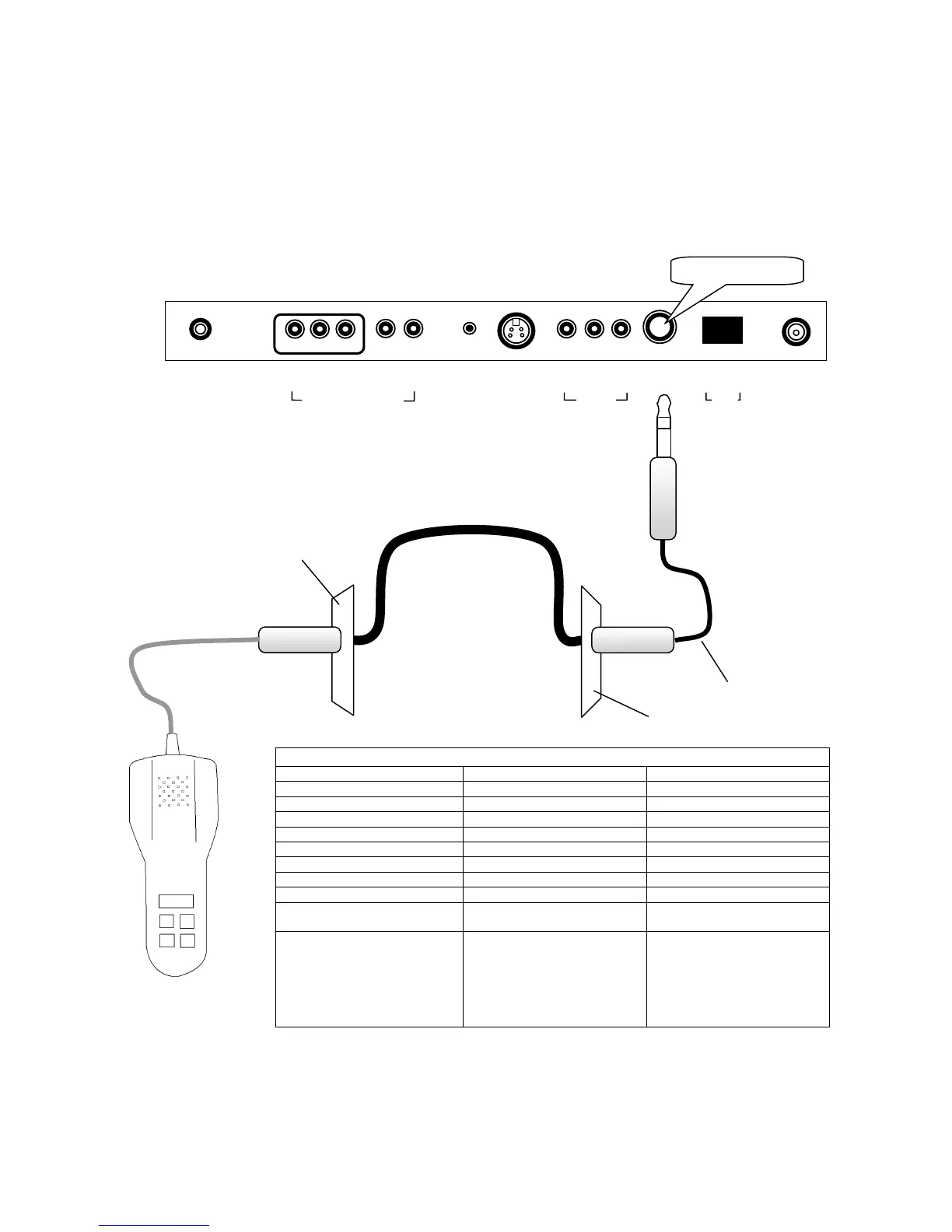
A ¼” stereo style pillow speaker (pendant control) jack is located on the TV’s connector panel on
the backside. See Page 7 for a partial list of compatible pillow speakers. Please contact the
pillow speaker vendor directly for an additional listing of models and available options.
1. Connect the pillow speaker to the PILLOW jack.
2. Simple control of the TV is now possible using the pillow speaker.
NOTE: If the pillow speaker’s volume is too low, increase the volume on the TV using the
VOL◄► buttons.
0 I
▲
ANT.
▲
S-VIDEO
▲
H/P
▲
PILLOW
▲
DC 15V
▲ ▲
OFF ON
▲ ▲ ▲
VIDEO L(MONO) R
▲ ▲ ▲
Y CB CR
▲ ▲
L R
COMPONENT IN
/V IN
SPK
Across Room
Wiring
Wall Plate Behind TV
Bedside Wall Plate
Jumper
SUPPORTED TV FUNCTIONS
DIGITAL DIRECT ACCESS DIGITAL PILLOW SPEAKER SINGLE BUTTON (SWITCH)
POWER ON/OFF POWER ON/OFF POWER ON/OFF
CHANNEL UP CHANNEL UP CHANNEL UP
CHANNEL DOWN CHANNEL DOWN
VOLUME UP VOLUME UP
VOLUME DOWN VOLUME DOWN
CAPTIONS CAPTIONS
MUTE MUTE
Numbers 0-9
DIRECTIONS DIRECTIONS DIRECTIONS
Enter desired channel number
directly on Number Pad of
Direct Access type pillow
speakers.
Press each individual pillow
speaker button to operate
respective TV function.
1. Press the Button once to
turn TV ON.
2. Press the Button again
to channel up.
3. Press and Hold Button
down to turn TV OFF.
PILLOW SPEAKER



 To Next Page