EasyManua.ls Logo

PDi PDI-P20LCD - TV Menu Navigation; Picture Menu; Sound Menu

PDi PDI-P20LCD
24 pages
Print Icon
To Next Page IconTo Next Page
To Previous Page IconTo Previous Page
Loading...
PDI-P20LCD User Manual
Document Number: PD196-040 Rev4
- 14 -
Equalizer
Flat ■■
Music ■■■
Movie ■■■■
Speech ■■■■■
User ■■■■■■■
0.1 0.5 1.5 5.0 10Khz
▲▼:Move ◄►: Adjust
MENU:Return TV/AV Exit
MENUS
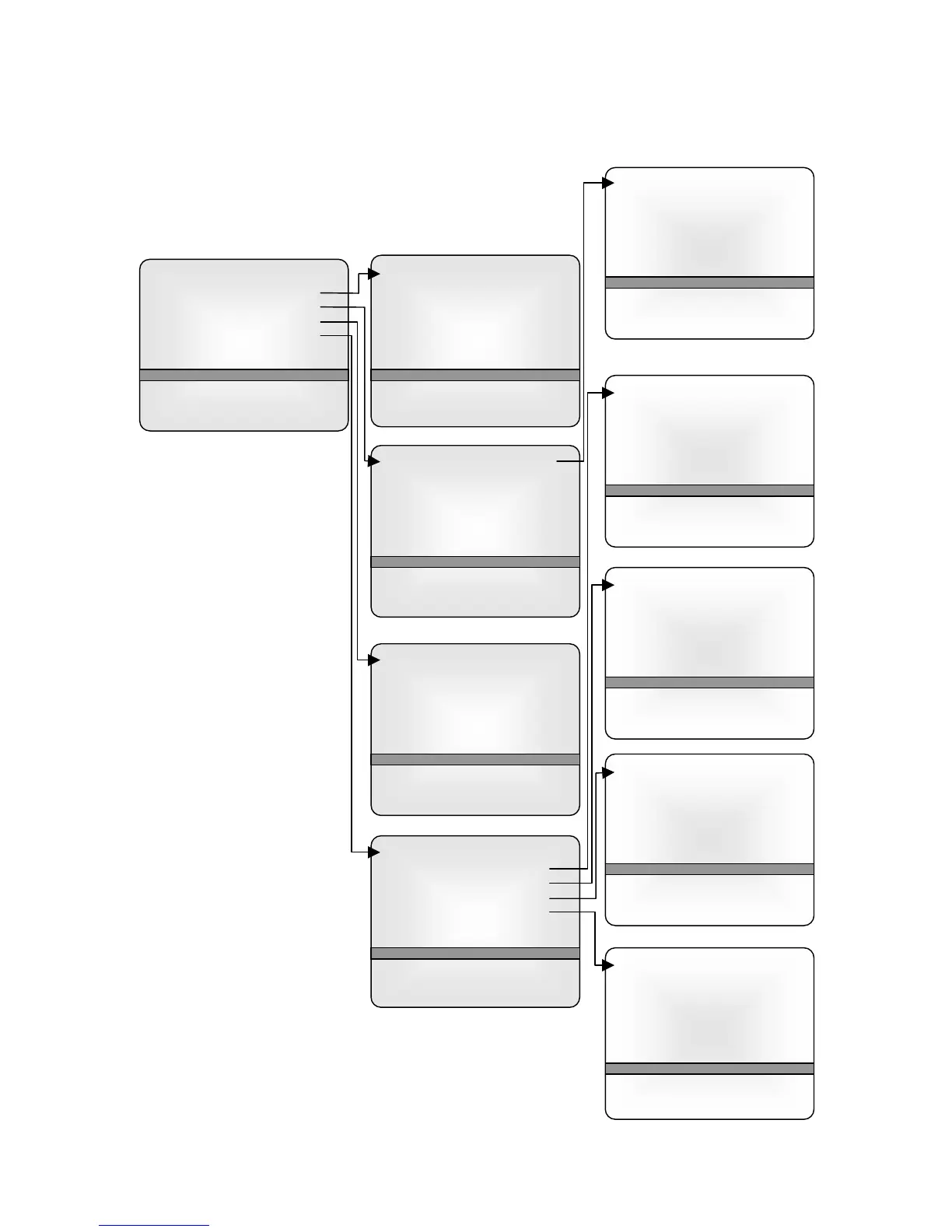
MENU TREE
The on-screen menus are navigated by first pressing the MENU
button on the remote and then using the CH ▲▼ button to
select the desired menu.
Main Menu
Picture
Sound
Special
Setup
▲▼:Move ◄►: Adjust
MENU:Return TV/AV Exit
Picture
Contrast 90
Brightness 75
Color 70
Sharpness 50
Tint 0
▲▼:Move ◄►: Adjust
MENU:Return TV/AV Exit
Sound
Equalizer
Balance 0
A
VL Off
MTS MONO
▲▼:Move ◄►: Adjust
MENU:Return TV/AV Exit
Special
Input TV
A
uto Sleep Off
Blue Back Off
Lock Off
▲▼:Move ◄►: Adjust
MENU:Return TV/AV Exit
Setup
A
uto program
Manual program
Language
Parental Control
Captions OFF
▲▼:Move ◄►: Adjust
MENU:Return TV/AV Exit
Auto Program
Tuner mode TV
Start
▲▼:Move ◄►: Adjust
MENU:Return TV/AV Exit
Manual Program
Fine ►►►
Storage On
▲▼:Move ◄►: Adjust
MENU:Return TV/AV Exit
Language
English
Français
Espaňol
▲▼:Move ◄►: Adjust
MENU:Return TV/AV Exit
Parental Control
Movie rating
MPAA Unblock
Ect. Sources Unblock
Block Hour 00 Hours
Password To Set ◄►
Parental Lock Off
▲▼:Move ◄►: Adjust
MENU:Return TV/AV Exit

Related product manuals