8
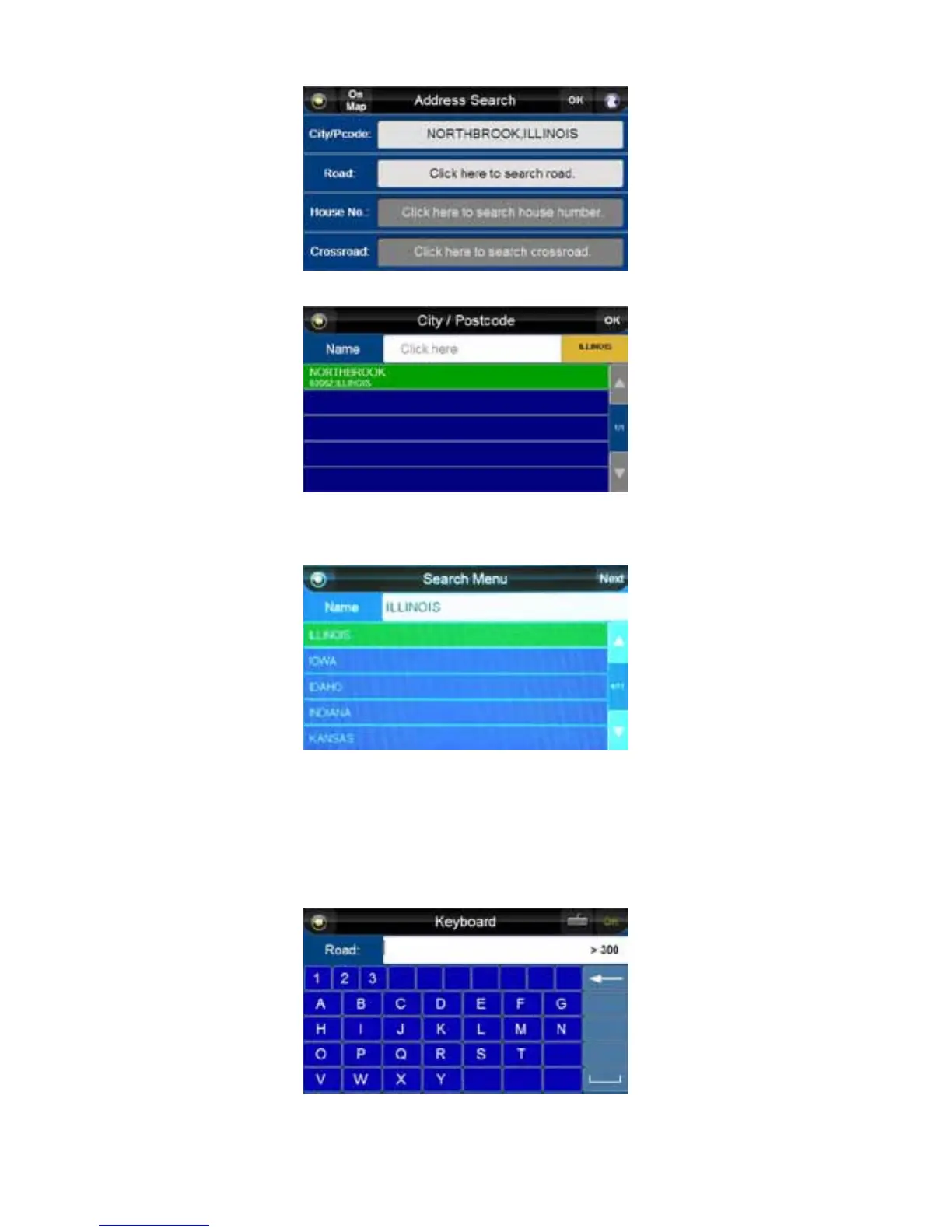
10. Press on the city bar.
City, State, USA
11. Press on the state in the upper right.
12. Choose a state from the list by scrolling through using the up and down arrows on the right.
13. Press the state that you want to highlight it, and then press the “Next” button. After the first use it
will default back to the last state selected.
14. To choose a city, press the white banner at the top of the “City / Postcode” screen.
NOTE: In instances where a street may reside on the border of two municipalities, it may be more
effective to use the zip code if known.
15. A keyboard will appear. Begin typing in the city you want. When the unit finds a match, a list of
cities will appear.
NOTE: This and all keystroke screens limit your choice of characters to only valid options for the
location you have selected (i.e., it will not allow you to enter Washington Street in a town that
does not have a Washington Street).
16. Press the city you want to highlight it, and then press the “OK” button.



 To Next Page