PCAN-Router DR – User Manual
20
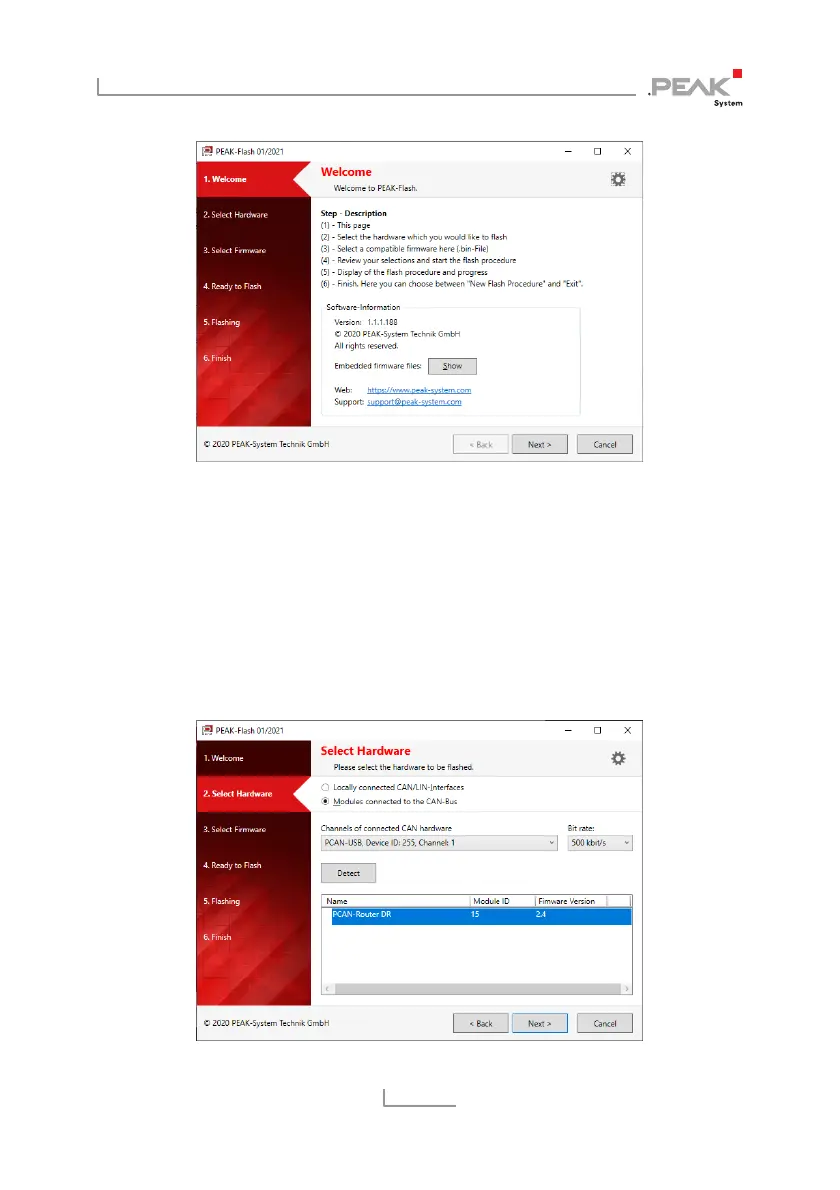
5. Click the Next button.
6. Click on the Modules connected to the CAN bus radio
button.
7. In the Channels of connected CAN hardware drop-down
menu, select a CAN interface connected to the computer
(e.g. PCAN-USB).
8. In the Bit rate drop-down menu, a nominal bit rate of 500
kbit/s must be set.



 To Next Page