Need help?
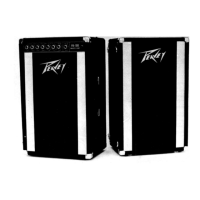
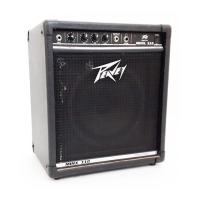
Do you have a question about the Peavey Max 100 and is the answer not in the manual?
Two 1/4" inputs for selecting appropriate gain structure based on pickup configuration.
Adjusts the input level to the preamp, controlling the initial signal strength.
Engages a crunch circuit for distortion, affecting distortion level based on GAIN setting.
Shelving tone control for low frequencies, with +/-15 dB cut/boost centered at 50 Hz.
Boosts highs and lows while cutting mids for a "scooped" sound profile.
Peaking tone control for mid frequencies, with +/-15dB cut/boost.
Switch to alter the center frequency of the MIDDLE control (600Hz OUT, 250Hz IN).
 General
| Type | Bass Amplifier |
|---|---|
| Number of Channels | 1 |
| Total Power | 100W |
| Inputs | 1 x 1/4" |
| Outputs | 1 x 1/4" |
| EQ | 3-band |
| Effects | Overdrive |

 To Next Page