10 of 58
ISSUED: 10-30-09 SHEET #: 095-9297-7 07-11-11
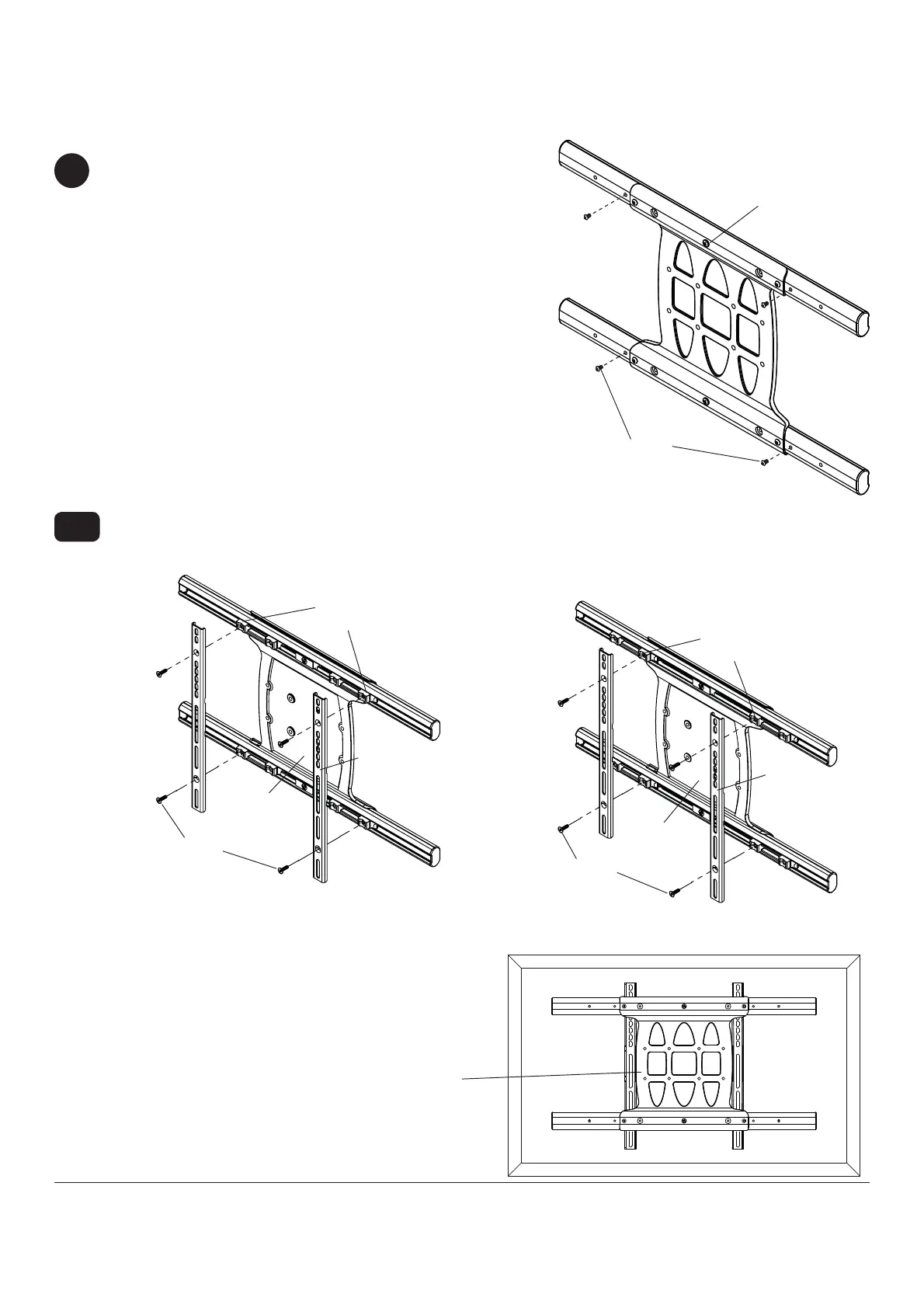
Remove four 1/4-20 self tapping screws to detach display brackets from outer mount holes of universal adapter
bracket (B) using 5mm allen wrench (I) as shown in fi gure 3.1. Reinstall four 1/4-20 self tapping screws to secure
display brackets to inner set of mounting holes on universal adapter bracket (B) as shown in fi gure 3.2.
1/4-20 SELF
TAPPING SCREWS
1/4-20 SELF
TAPPING SCREWS
Display
BRACKETS
Display
BRACKETS
INNER
MOUNTING
HOLES
OUTER
MOUNTING
HOLES
fi g. 3.1
fi g. 3.2
VESA 200 x 200 or VESA 200 x 100 Mounting Pattern
To prevent scratching the display, set a cloth on a
fl at, level surface that will support the weight of the
display. Place display face side down and place
universal adapter bracket (B) onto display.
3-1
3
B
B
B
1/4-20 x .6" SCREWS
1/4-20 x 1.25" SCREWS
Remove four 1/4-20 x .6" screws using 5mm allen wrench
(I) and loosen two 1/4-20 x 1.25" screws 1/2 turn to allow for
display bracket adjustment.



 To Next Page