42
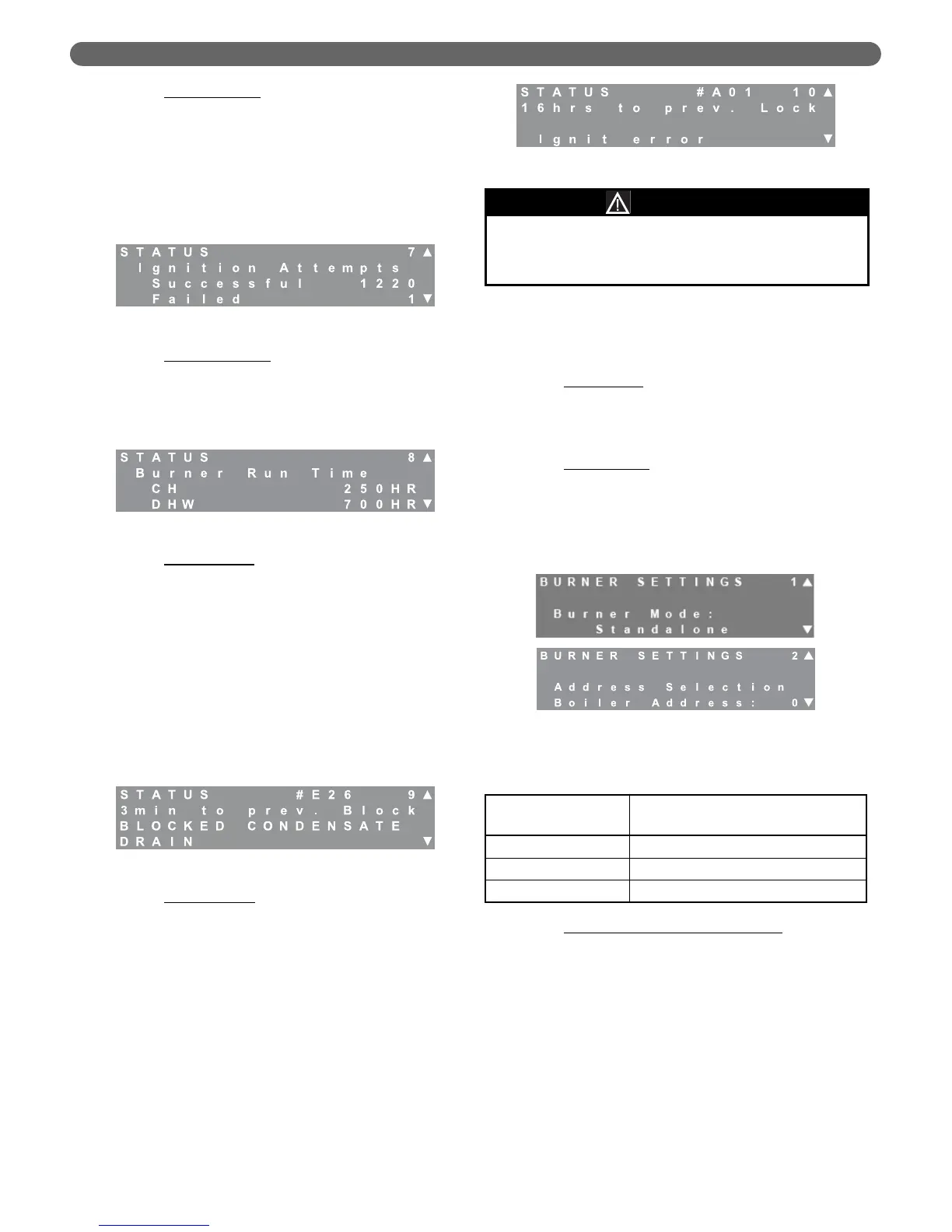
d. Ignition Attempts: Screen #7 provides information
about ignition attempts. Obviously, the total ignition
attempts are the sum of the successful and failed
attempts. Several ignition failures may occur during
factory firetest and equipment commissioning.
However, if there are a large number of failed
ignition attempt showing on this screen, contact your
Peerless
®
Representative. If there is an unusually
large number of total ignition attempts, there may be
a problem with the boiler short cycling.
e. Burner Run Time
: Screen #8 provides information
about the total run time of each burner. The total
burner run time is the sum of the central heating
(CH) and domestic hot water (DHW) hours. The
total boiler run time is the sum of both burner run
times.
f. Blocking Errors:
Screen #9 provides error history
about the last 16 blocking errors. Blocking errors are
errors that prevent the burner from operating until
the condition causing the error is corrected. Sensor
errors, low water, and blocked vent are examples of
this type of error. To review previous errors, press the
select key. The number in the upper right changes
from the status screen “9” to a blinking “0”
indicating that this is the most recent error. Use the
arrow keys to scroll through previous errors from 0 to
15. If the screen shows “#255” in the error number
location, this indicates that there is no error stored in
this location. All errors on screens higher than one
showing “#255” should also indicate no error. Table
10.1 (in Section 10) provides a list of blocking errors.
g. Lockout Errors:
Screen #10 provides error history
about the last 15 locking errors. Locking errors are
errors that require a manual reset on the control
board (pushing the “Reset” key on the display) to
reset the burner once the condition causing the
error has been corrected. Ignition Failure, Flame
Failure and High Limit Temperature are examples
of this type of error. To review previous errors,
press the “Select” key. The number in the upper
right changes from the status screen number “10”
to a blinking “0” indicating that the screen is
showing the most recent lockout error. If the burner
is not in lockout, this position should show “#255”
in the error number location. Use the arrow keys to
scroll through previous errors from 1 to 15. As with
blocking errors, “#255” always indicates that no
error is stored in this location. Table 10.2 provides
a list of lock out errors.
3. Burner Settings
The burner settings menu allows the installation or
service contractor to change settings which effect the
burner operation. The following are descriptions of
the available settings.
a. Burner Mode
: The burner modes are set by
default from the factory. The burner mode is set to
“standalone” from the factory for the PFC-460.
Do not use any other setting for this
parameter with the PFC-460.
b. Boiler Address
: PUREFIRE
®
boilers can be operated
in cascade with as many as 15 identical boilers by
adding 2 wire communication links between the
boilers. The following chart shows the role of the
boiler depending on the boiler address. Multiple
boiler operation is covered in-depth at the end of
this section of the manual.
c. Installation Location & Vent Material
: Due to
differing national codes in the United States and
Canada, there are different material requirements
for exhaust vent pipe. Therefore, the maximum
vent limit temperature is different depending on
the material used.
Screens #3 and #4 allow the installer to select the
installation location and vent material. Based on
the information given, Table 8.10 shows the
exhaust temperature that the control will allow
before reducing the burner input rate. If the
temperature of the exhaust gas approaches these
values, the control will reduce the input rate on
both burners until the temperature begins to drop.
If the flue temperature continues to rise, the control
will shut down both burners.
Figure 8.16: Status – Ignition
Figure 8.17: Status – Burner Run Time
Figure 8.18: Status – Blocking Errors
Figure 8.19: Status – Locking Errors
Figure 8.20: Burner Settings – Burner Mode &
Boiler Address
The
P
URE
F
IRE
®
PFC-460 can only be operated with the
Burner set to Standalone.
Do not change the Burner
Settings from the factory setting for PFC-460 models.
NOTICE
Table 8.9: Boiler Address
Boiler Address
Value
Description
0 Stand-Alone Boiler
1 Master Boiler in a Cascade System
2-16 Dependent Boilers in a Cascade System
BOILER CONTROL: OPERATION


 To Next Page