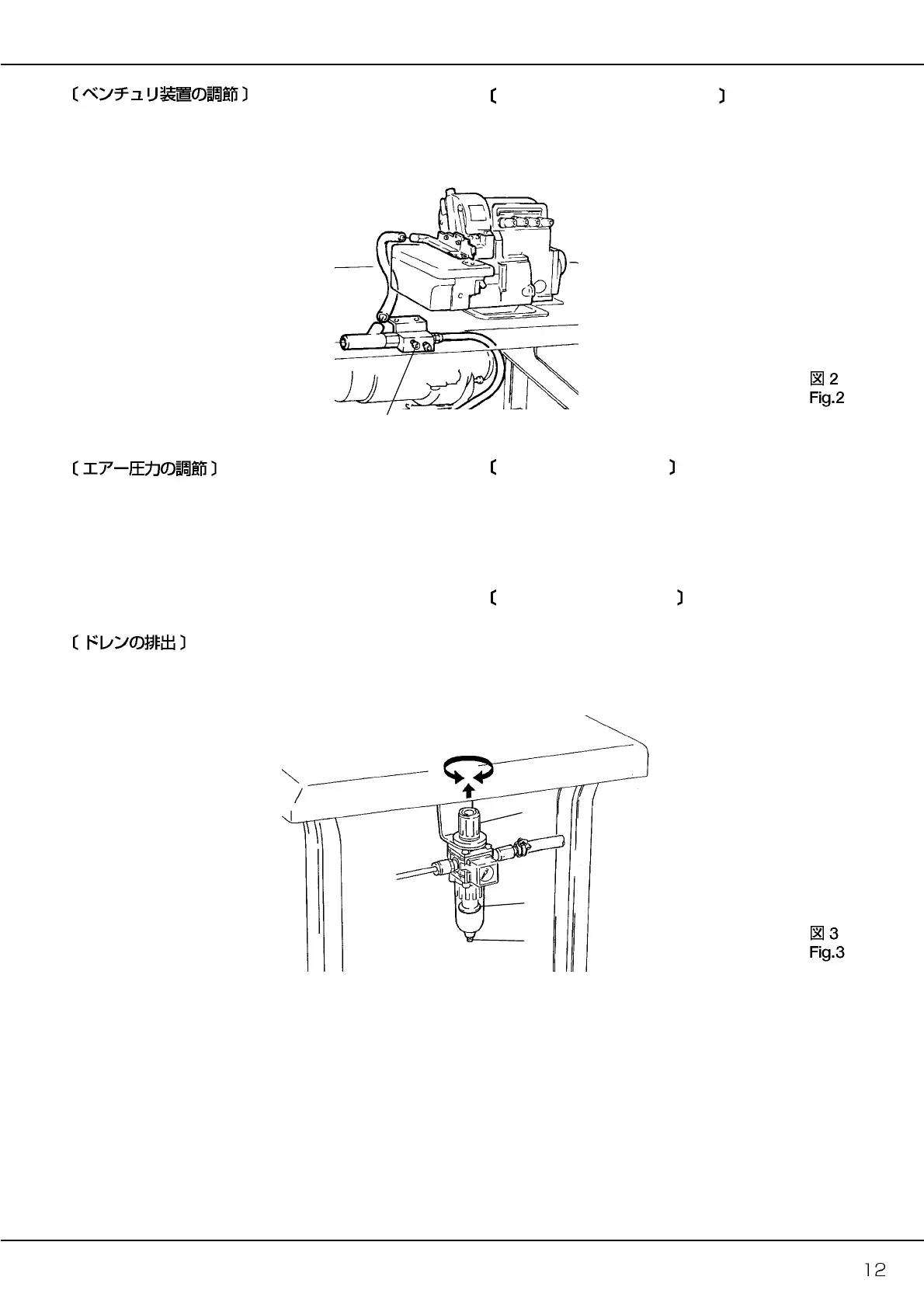
フィルターレギュレータのツマミ
10
を上に引っ張ると「カチッ」
と音をたて、少し上に上がります。
その状態でツマミ
10
を回して、エアー圧力を 0.4〜0.5Mpa(4
〜5kgf/cm
2
)に調節してください。
●ツマミ
10
を時計方向に回すと、圧力が上がります。
●ツマミ
10
を反時計方向に回すと、圧力が下がります。
バッフル
11
の位置までドレンが溜まる前に、排出用ボタン
12
を
押してドレンを排出してください。
Adjusting air pressure
Pull up the knob
10
on the filter regulator until it clicks. Then set the
air pressure at 0.4 - 0.5 Mpa (4 - 5 kgf/cm
2
).
●To increase the air pressure, turn the knob
10
clockwise.
●To decrease the air pressure, turn the knob
10
counterclockwise.
Draining filter regulator
Press the draining button
12
to drain the filter regulator before
collected drainage level reaches the baffle
11
.
吸い込み量の調節
●
ネジ 9 を反時計方向へ回すと吸い込み量が多くなります。
●
ネジ 9 を時計方向へ回すと吸い込み量が少なくなります。
Adjusting
the Venturi
system
To adjust the amount of suction
●
To increase the amount of suction, turn screw 9 counterclockwise
●To decrease the amount of suction, turn screw 9 clockwise.



 To Next Page