14
IPMIP Motherboard Reference Guide
6 Selectors
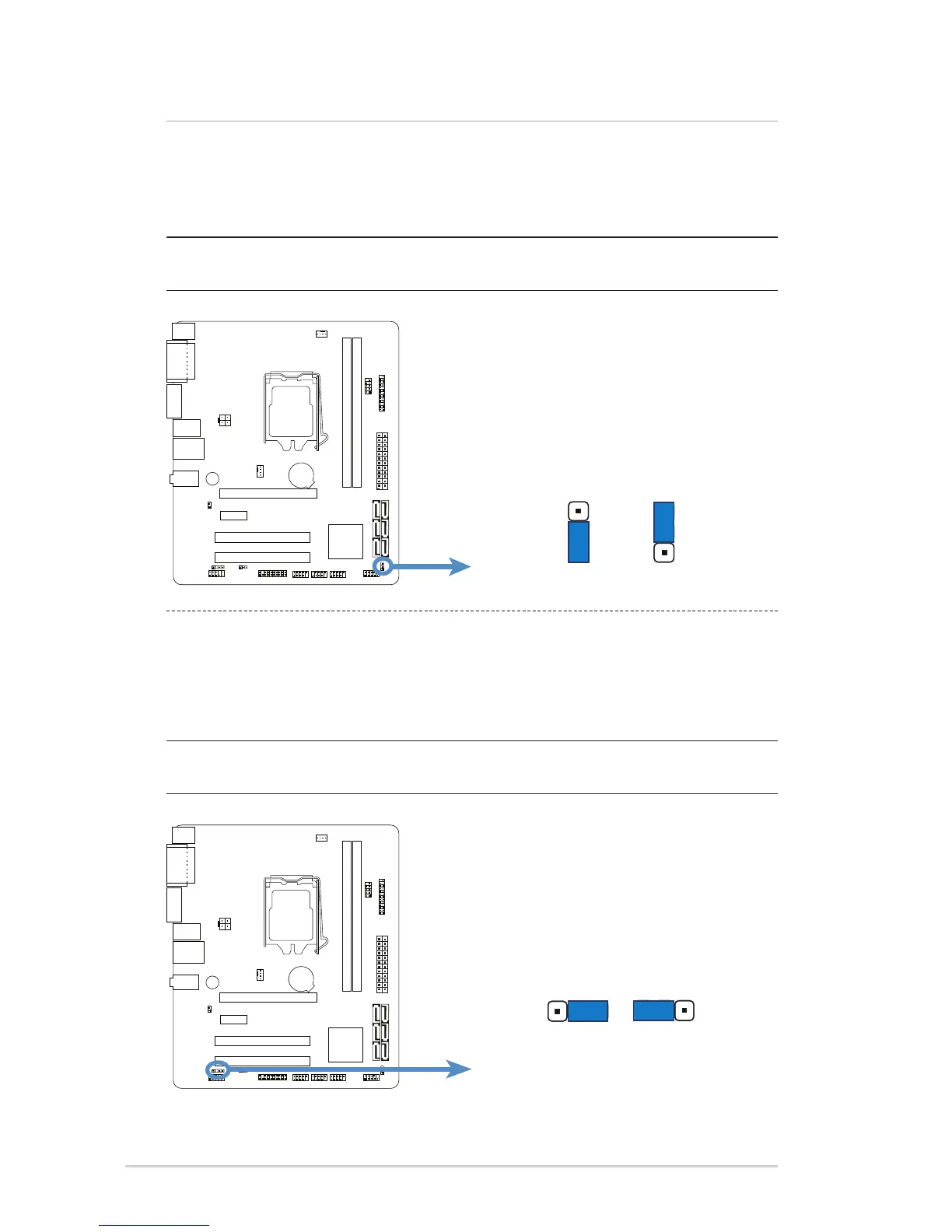
Clear CMOS selector
This selector allows you to clear the Real Time Clock (RTC) RAM in CMOS.
You can clear the CMOS memory of date, time, system setup parameters, and
passwords by erasing the CMOS RTC RAM data.
Flash Override selector
This selector allows you to enable or disable the Flash Override capability. You can
manually manage information stored in the Flash by enabling the Flash Override
capability.
IMPORTANT: Except when using this function, do not remove the jumper
cap from the default position or else there may be a system boot failure!
IMPORTANT: Except when using this function, do not remove the jumper
cap from the default position or else there may be a system boot failure!
To erase the CMOS RTC RAM user settings:
1. Turn OFF the computer and unplug the power
cord.
2. Move the cap to clear for 5 to 10 secs, then move
the cap back to default.
3. Plug the power cord and turn ON the computer.
4. During the boot process, enter BIOS setup to
re-enter user settings.
To enable or disable the Flash Override:
1. Turn OFF the computer and unplug the power
cord.
2. Move the cap to the enable (default) or disable
position.
3. Plug the power cord and turn ON the computer.



 To Next Page