17
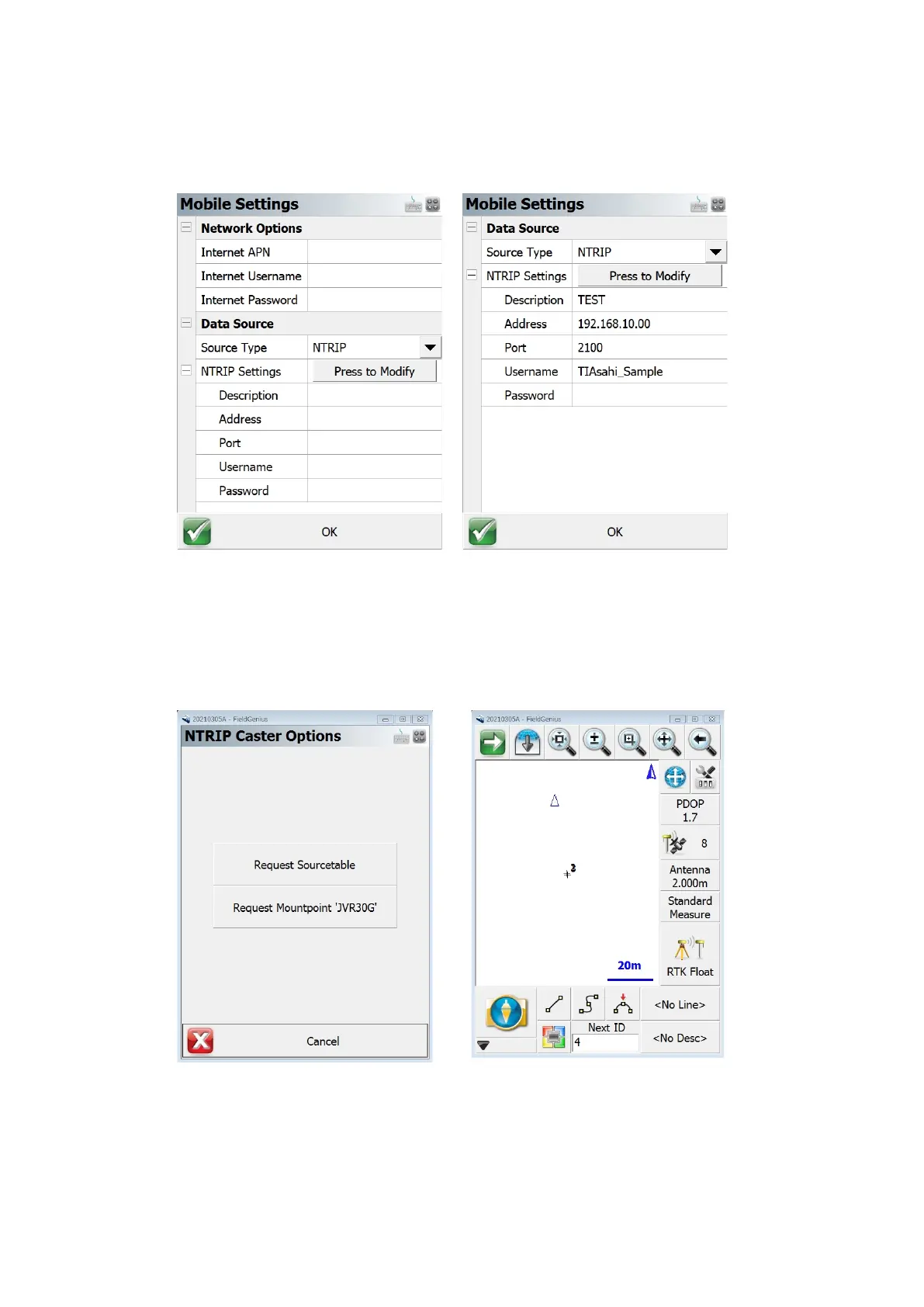
Figure 4-9 Mobile setting GSM Figure 4-10 Mobile setting Internet
5) Then you will be asked to select Source table. Chose one of the Source table.
6) After connect the server, it forwards the received differential data to the receiver, so that the
receiver can do network RTK.
7) Make sure the icon on the mapping screen turn to the RTK Fixed. Then you can record RTK data
with highest accuracy.
Figure 4-11 Ntrip Caster Option Figure 4-12 Mapping Screen
Note: For more detail, please see a manual of FieldGenius.
https://www.microsurvey.com/products/fieldgenius/



 To Next Page