16
4.3.RTK Dynamic survey (Network)
Erection of Base and Rover
Because the RTK- network mode uses the network to transmit differential data, and the radio
mode is only different in transmission mode, the base and rover are set up in a similar way. The
data link selects the network mode, sets the IP, port, and access point, and selects differential
format, satellite system.
4.3.1.Rover settings
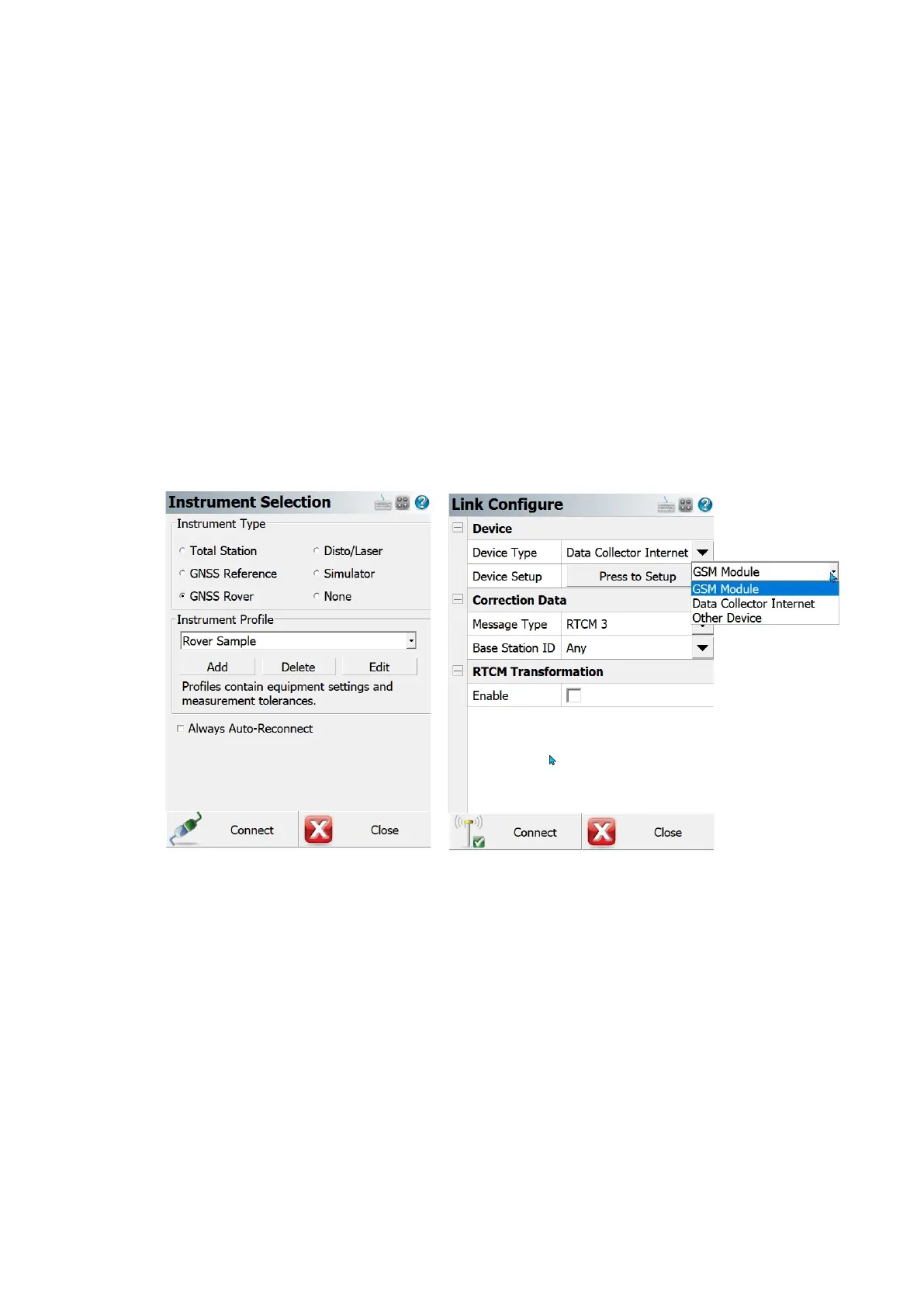
Open FieldGenius software in the handheld, then setting the communication mode, click GNSS
Rover, then connect to the receiver, configure data link, satellite system, etc.
1) Choose the device type from according to the device you are going to use.
Figure 4-7 Instrument Selection Figure 4-8 Link Configuration
2) If you are using GSM module, set APN, User name and Password to use it.
3) If you are using Data Collector Internet, make sure the controller is connecting to internet.
4) For both cases, set the data source type.
For example, if you are using Ntrip, set Ntrip settings such as Description, Address, Port, Username
and Password.



 To Next Page