10
The camera functions and their settings can be selected and
changed by using the following ways.
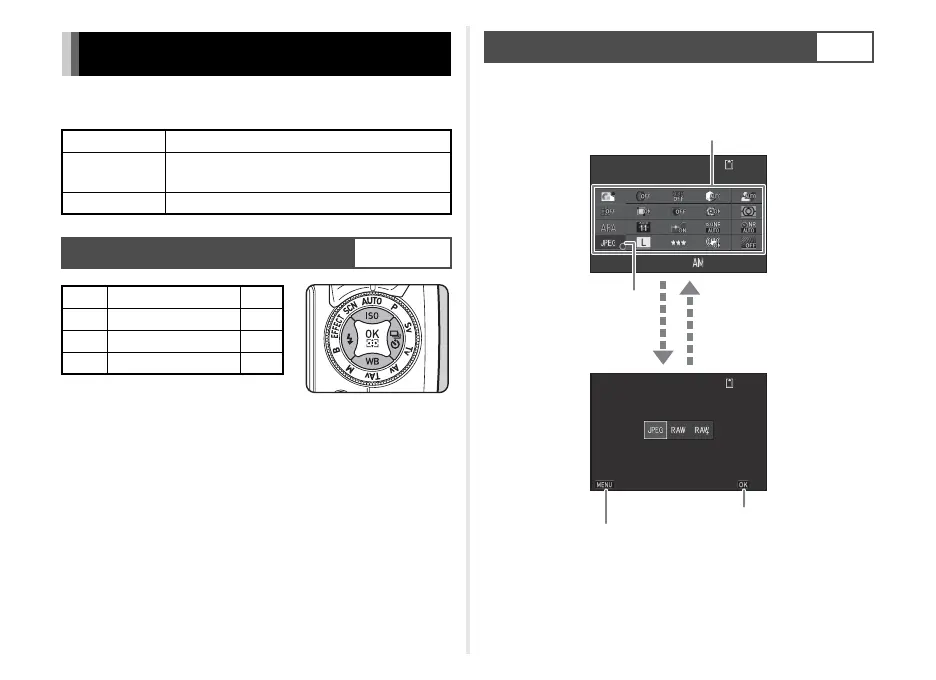
You can set frequently used shooting functions. Press G in
standby mode.
How to Change Function Settings
Direct keys Press ABCD in standby mode.
Control panel
Press G in standby mode.
(indicated with the v icon in this manual)
Menus Press F.
Using the Direct Keys
WXYZ
A Sensitivity p.29
B White Balance p.32
C Flash Mode p.31
D Drive Mode p.32
Using the Control Panel
G
10:2310:23
9 9 9 9 999999
9 9 9 9 999999
File FormatFile Format
07/07/201407/07/2014
File FormatFile Format
CancelCancel
OKOK
Use ABCD to select an item.
Use V to change settings.
Press F to cancel
setting operation.
Press E to confirm the
selected item and return to
the control panel.
Press E to make detailed
settings.



 To Next Page
 Loading...









