38
2
Getting Started
4
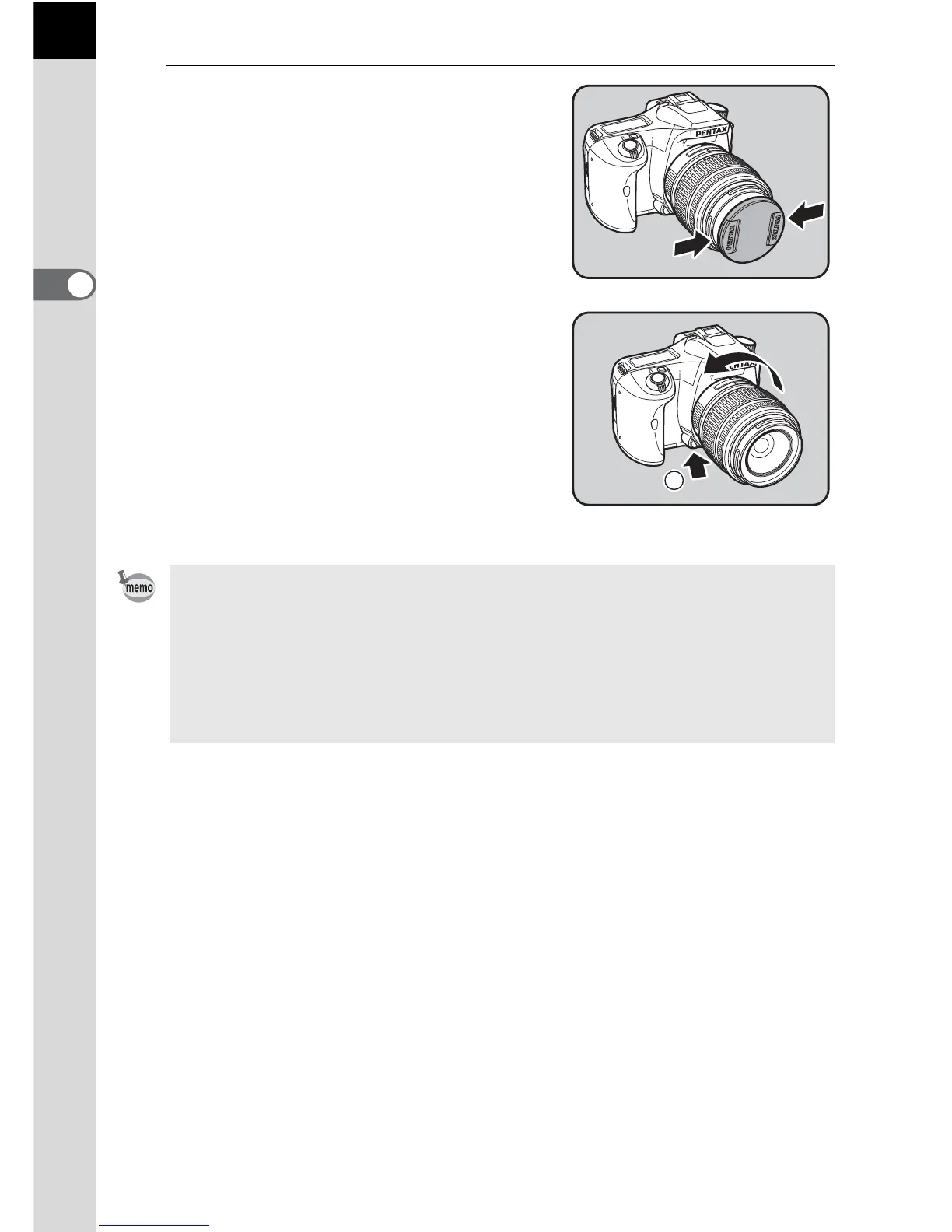
Remove the front lens cap by
pushing the indicated portions
inward.
To detach the lens, hold down the lens
unlock button (
3) and turn the lens
counterclockwise.
• The body mount cover (1) is a cover to prevent scratches and block dust
when shipped. Body Mount Cap K is sold separately and has a lock function.
• We assume no responsibility nor liability for accidents, damages and
malfunctions resulting from the use of lenses made by other manufacturers.
• The camera body and lens mount incorporate lens information contacts and
an AF coupler. Dirt, dust, or corrosion may damage the electrical system.
Clean the contacts with a soft dry cloth.
3



 To Next Page