81
4
Taking Pictures
R Y
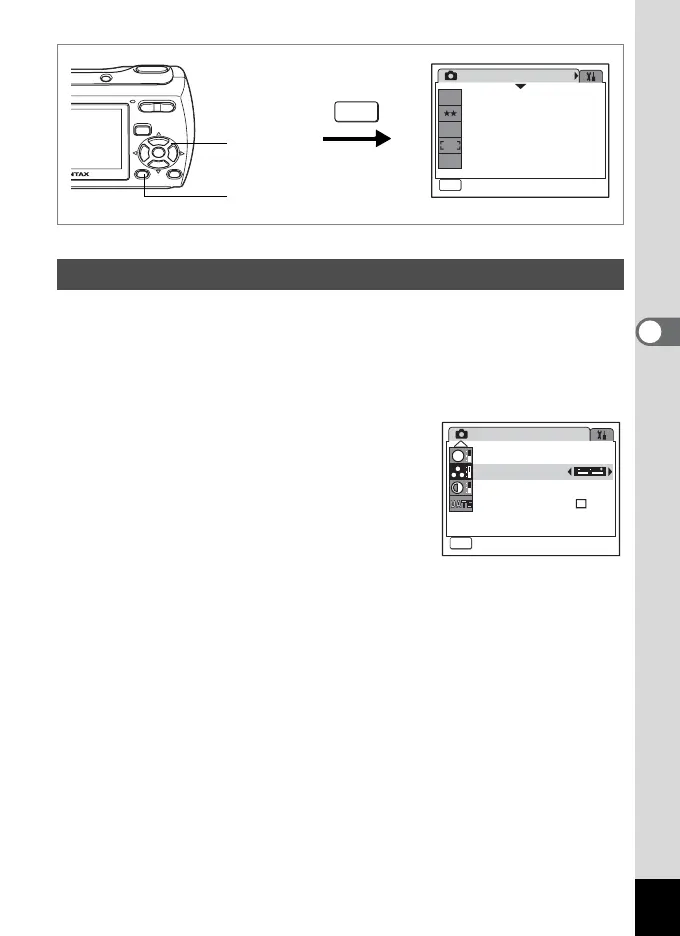
You can set the color saturation.
1 Press the 3 button in A mode.
The [A Rec. Mode] menu appears.
2 Use the four-way controller (23) to select [Saturation].
3 Use the four-way controller (45)
to change the saturation level.
The following setting is saved.
F (Low)
G (Normal)
H (High)
4 Press the 3 button.
The Saturation setting is saved and the camera returns to capture
status.
Setting the Color Saturation (Saturation)
Rec. Mode
MENU
Exit
Exit
1/3
7
M
Recorded Pixels
Quality Level
White Balance
Focusing Area
Sensitivity
AWB
ISO
AUTO
2, 3
1, 4
MENU
Rec. Mode
Exit
Exit
Sharpness
Saturation
Contrast
MENU
3/3
S
Date Imprint



 To Next Page