88
4
Taking Pictures
C
You can choose from two recorded pixels settings for movies:
[m 640×480] and [D 320×240].
The more pixels there are, the bigger the file size is.
Recorded Pixels for Movies
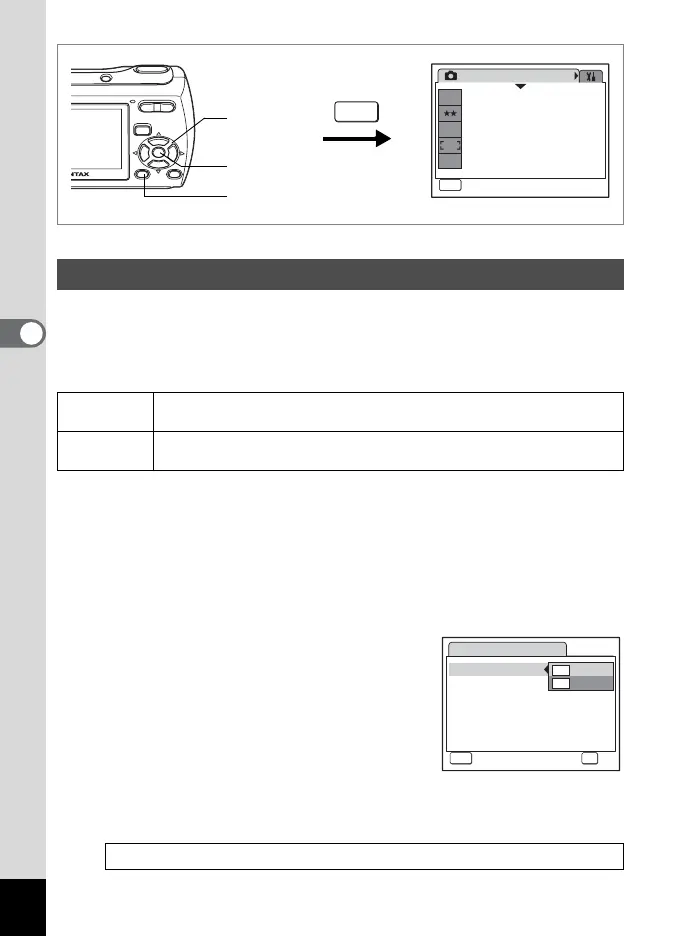
1 Press the 3 button in A mode.
The [A Rec. Mode] menu appears.
2 Use the four-way controller (23) to select [Movie].
3 Press the four-way controller (5).
The Movie screen appears.
4
Use the four-way controller (
23
) to select [Recorded Pixels].
5 Press the four-way controller (5).
A pull-down menu appears.
6 Use the four-way controller (23)
to change the number of recorded
pixels.
7 Press the 4 button.
The Recorded Pixels setting is saved.
8 Press the 3 button twice.
The camera returns to capture status with the current setting.
Selecting the Recorded Pixels for Movies
m
(640×480)
Suitable for viewing on a TV or computer screen.
D
(320×240)
Suitable for posting on a website or attaching to e-mail.
Recorded Pixels of Movies 1p.29
Rec. Mode
MENU
Exit
Exit
1/3
7
M
Recorded Pixels
Quality Level
White Balance
Focusing Area
Sensitivity
AWB
ISO
AUTO
MENU
1, 8
2, 3, 4,
5, 6
7
Movie
Recorded Pixels
Color Mode
640
320
Cancel
Cancel
MENU
OK
OK
OK



 To Next Page