83
4
Taking Pictures
A R A Y q < I i \ E y P D >
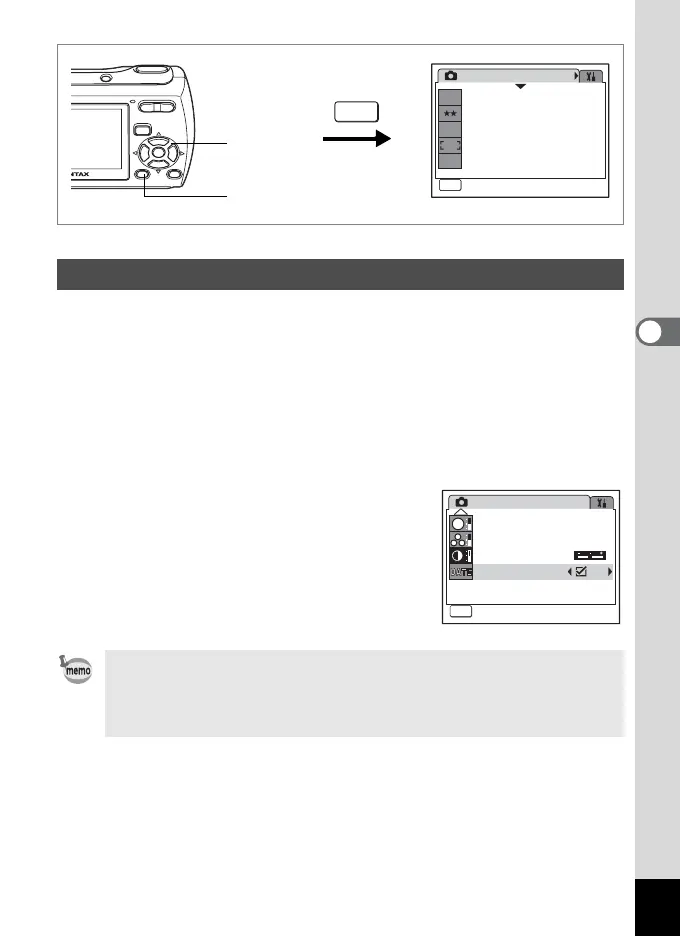
You can choose whether to imprint the shooting date on the picture when
shooting. When O (On) is set, the date set in the Date Adjust screen
(p.34 and p.130) is imprinted in the bottom-right corner.
1 Press the 3 button in A mode.
The [A Rec. Mode] menu appears.
2 Use the four-way controller (23) to select [Date
Imprint].
3 Use the four-way controller (45)
to select O (On) or P (Off).
4 Press the 3 button.
The camera returns to capture status with
the current setting.
Setting the Date Imprint
• The date imprinted with the Date Imprint function cannot be
deleted
• The date is imprinted on the picture with the date style set in the
Date Adjust screen.
Rec. Mode
MENU
Exit
Exit
1/3
7
M
Recorded Pixels
Quality Level
White Balance
Focusing Area
Sensitivity
AWB
ISO
AUTO
2, 3
1, 4
MENU
Rec. Mode
Exit
Exit
Sharpness
Saturation
Contrast
MENU
3/3
S
Date Imprint



 To Next Page