122
6
Editing and Printing Images
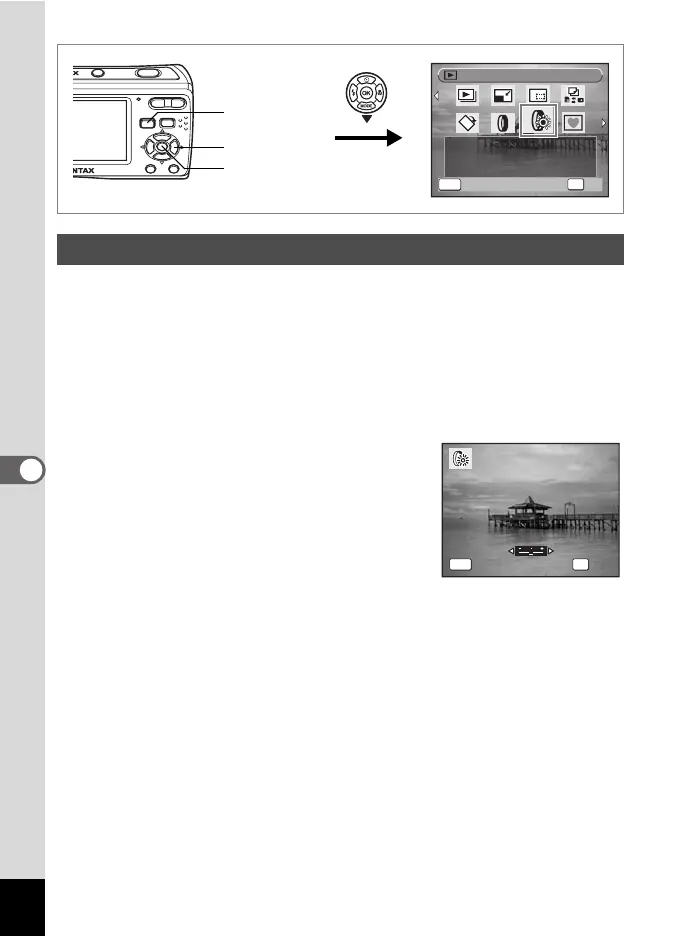
You can change the brightness of taken images without a computer.
1 Enter the playback mode and use the four-way
controller (45) to choose the image you want to edit.
2 Press the four-way controller (3).
The Playback Mode Palette appears.
3 Use the four-way controller (2345) to select q
(Brightness Filter).
4 Press the 4 button.
A bar to adjust the brightness appears on
the bottom center of the display.
5 Use the four-way controller (45)
to adjust the brightness.
The preview of the edited image appears on
the display. It changes each time you press
the four-way controller (45) and adjust the
brightness.
6 Press the 4 button.
A confirmation dialog for overwriting the image appears.
7 Use the four-way controller (23) to select [Overwrite]
or [Save as].
If the image is protected, a confirmation screen does not appear. The
image is automatically saved with a new file name.
Using the Brightness Filter
1/2
1/2
OK
OK
MENU
B r i g h t ne s s F i l t e r
Brightness Filter
Cancel
F o r m o di f y i n g t h e
b r i g h t ne s s o f t h e
i m a g e s .
For modifying the
brightness of the
images.
Four-way
controller
4 button
Q button
OKMENU
OK
Cancel



 To Next Page