15 Getting Started
Taking Photos
English
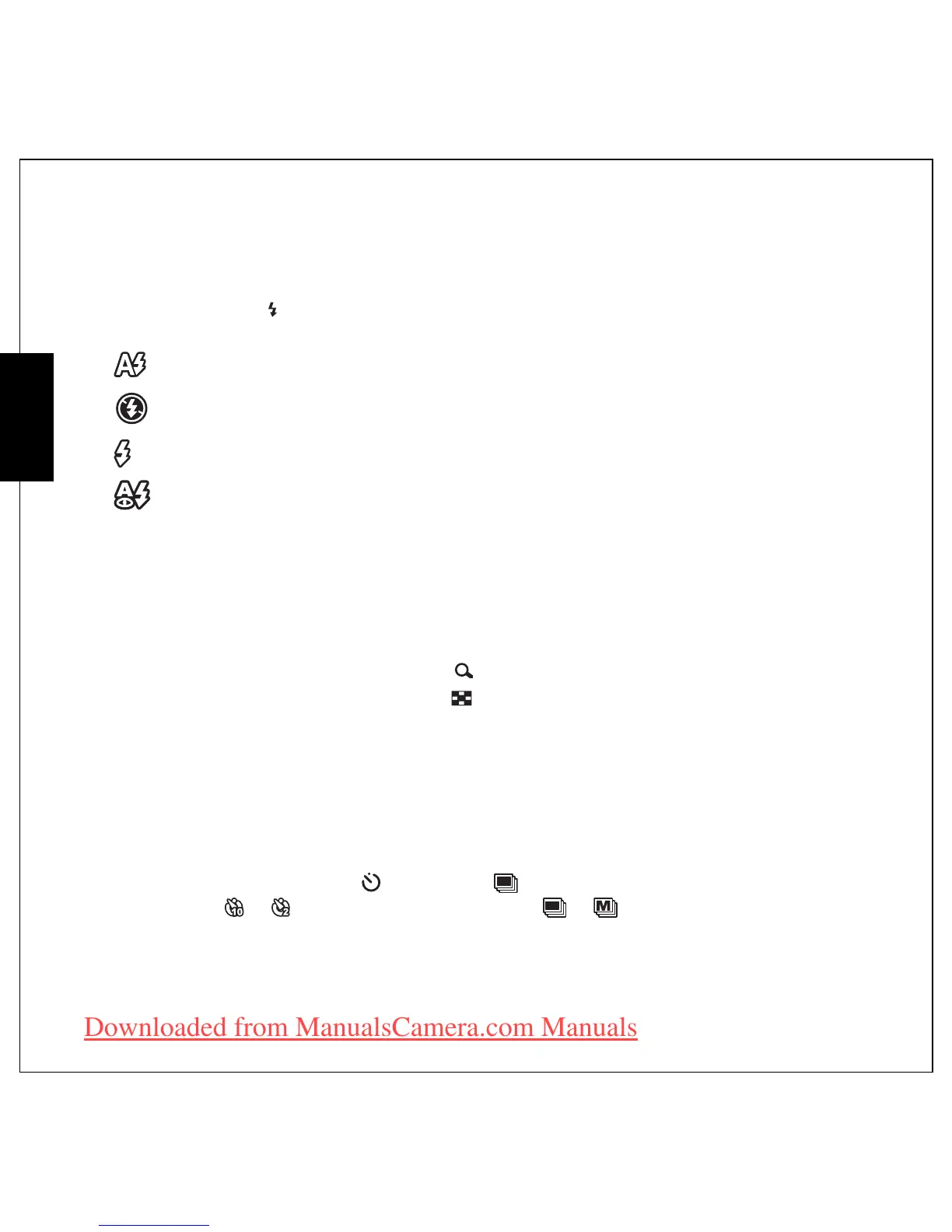
Setting the Flash Mode
You can choose from four flash modes to suit various lighting conditions.
Press the Up/Flash navigation button to scroll through the four modes on the LCD screen. The flash
setting remains the same for subsequent photos until you change it as described above.
Using the Zoom in/out Function
The camera comes equipped with 5X optical zoom and 5X digital zoom that allows you to zoom in on
your subject.
To use the zoom:
1. Press the right side of the Zoom button T to zoom in on your subject.
2. Press the left side of the Zoom button W to zoom out from your subject.
Using the Self-timer and Burst Photography
The camera comes equipped with a self-timer which allows you to take photos after a pre-defined delay.
The burst photography feature allows you to take multiple consecutive photos by pressing and holding
the Shutter button. The multi-burst photography feature allows you to take multiple (16) consecutive
VGA photos by pressing the Shutter button once.
To set the self-timer/burst mode:
1. Press the Right/Self-timer /Burst mode navigation button to cycle through the
self-timer ( or ) and burst photography options ( or ) on the LCD screen.
2. Once you have selected an option, frame and take your shot. In self-timer mode, the icon will flash
until the time expires and the photo is taken.
Auto flash: The flash fires automatically when needed.
Flash off: The flash is turned off.
Fill flash: The flash always fires.
Red-eye Reduction: The flash fires twice so as to reduce the red-eye effect.
Downloaded from ManualsCamera.com Manuals











 To Next Page