EasyManua.ls Logo

Pentax Optio P70 - Page 133

Pentax Optio P70
256 pages
Print Icon
To Next Page IconTo Next Page
To Previous Page IconTo Previous Page
Loading...
131
4
Playing Back and Deleting Images
Recorded Pixels
MENU
Cancel
Cancel
OK
OK
OK
7
M
OK
MENU
SHUTTER
02/02/2009
0 2 / 02 / 20 0 9
02/02/2009
14:25
1 4 : 25
14:25
100
1 0 0
-
0038
0 0 3 8
100
-
0038
14:25
1 4 : 25
14:25
38
3 8
38
02/02/2009
0 2 / 02 / 20 0 9
02/02/2009
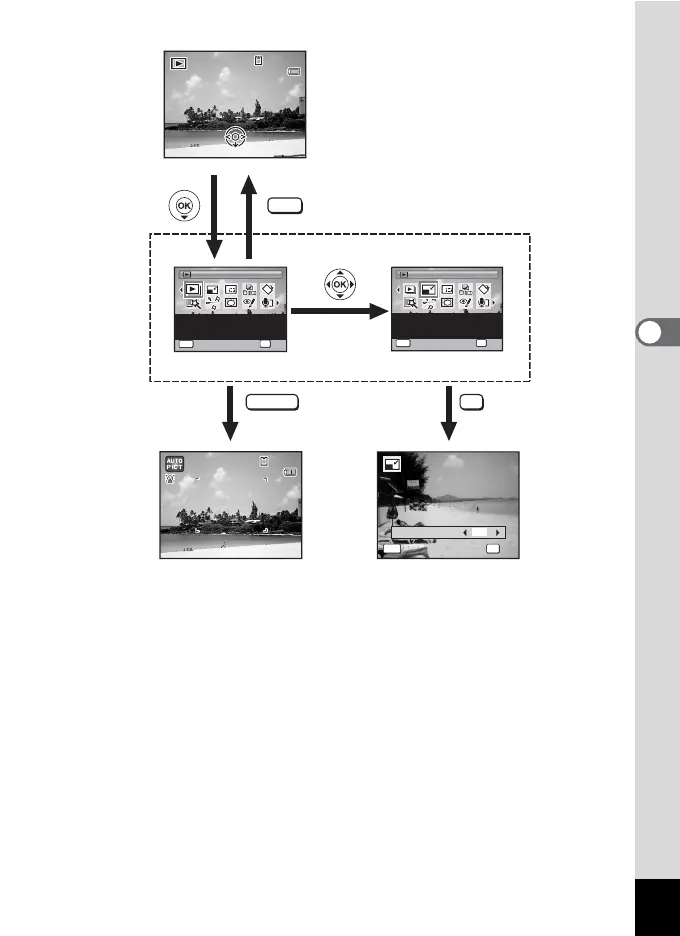
Slideshow
Slideshow
OK
OK
OK
MENU
Cancel
Cancel
For continuously playing
back images. Screen or
sound effects can be set
1 / 2
1/2
Resize
Resize
Changes Recorded Pixels
and Quality Level to make
the file size smaller.
1 / 2
1/2
OK
OK
OK
MENU
Cancel
Cancel
Edit
Goes to the screen for
selected playback function.
Closes the Playback Mode
Palette and goes to A mode.
Press halfway

Table of Contents