61
2
Common Operations
Power Saving
For setting the time until the camera enters power-
saving mode
p.195
Auto Power Off
For setting the time until the camera turns off
automatically
p.196
Reset
For returning settings other than the date and time,
language, world time and video out to their defaults
p.198
Delete all images
For deleting all the saved images and sound files at
once
p.146
Format For formatting the SD Memory Card p.184
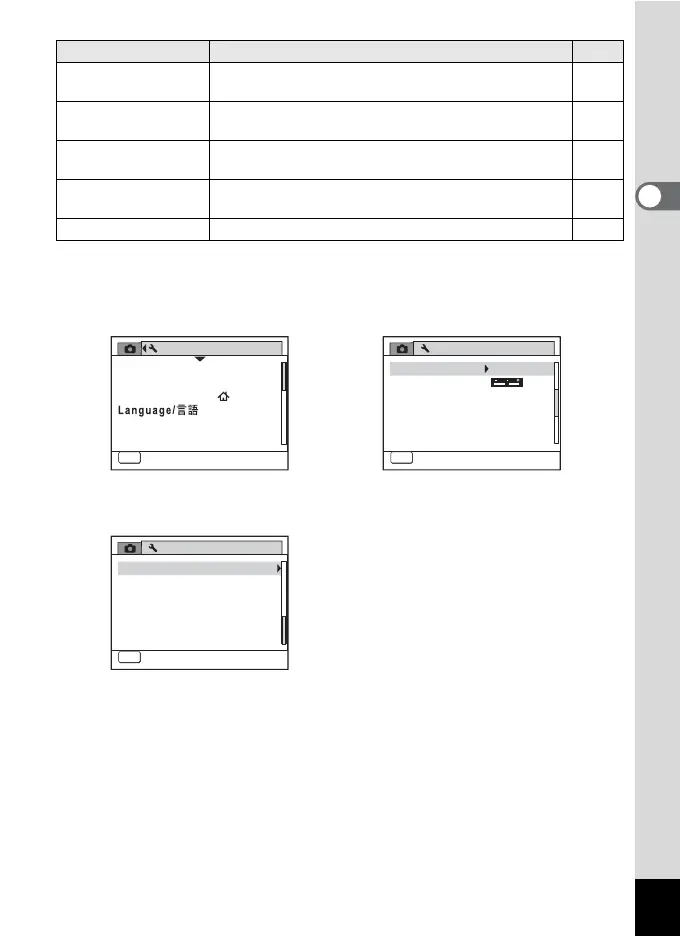
Item Description Page
[W Setting] Menu 1
Setting
Sound
Date Adjust
01/01/2009
World Time
English
Folder Name Date
USB Connection
PC
MENU
Exit
1/3
[W Setting] Menu 2
Setting
Power Saving
Auto Power Off
Reset
5
sec.
Video Out
Brightness Level
2/3
MENU
Exit
NTSC
3
min.
Delete all images
[W Setting] Menu 3
Setting
Format
MENU
Exit
3/3



 To Next Page