79
3
Taking Pictures
3
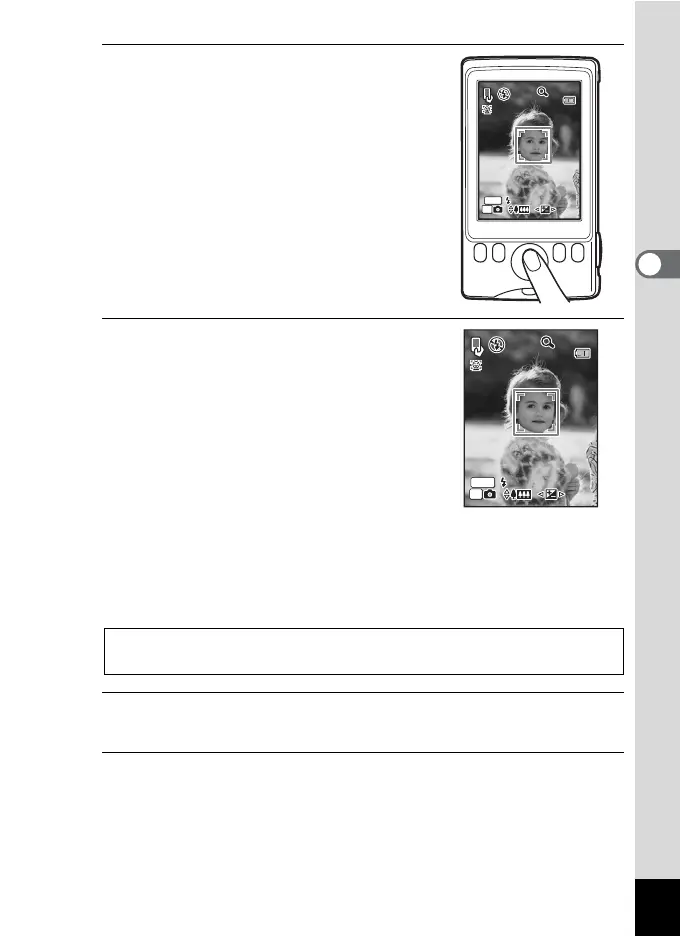
Turn the camera clockwise and
hold it in the vertical position.
In Vertical Snap mode, everything is
displayed vertically on the display.
When the camera recognizes a person’s
face, the Face Recognition function is
activated and the face recognition frame
appears (p.70).
4
Use the four-way controller
(2345) to adjust the zoom and
exposure.
The directions on the four-way controller are
also realigned when you hold the camera
vertically:
Four-way controller (2/b) Telephoto
Four-way controller (3/q) Wide-angle
Four-way controller (4/MODE) Exposure compensation (–)
Four-way controller (5/g) Exposure compensation (+)
5
Press the 4 button.
The picture is taken.
6
To exit Vertical Snap mode, press the power switch.
The camera turns off. Press the power switch again to take a picture
in normal shooting mode.
Using the Zoom 1p.76
Setting the Exposure (EV Compensation) 1p.106
OK
50
50
MENU
OK
50
50
MENU



 To Next Page