83
3
Taking Pictures
1
Press the four-way controller (3) in A mode.
The Capture Mode Palette appears.
2
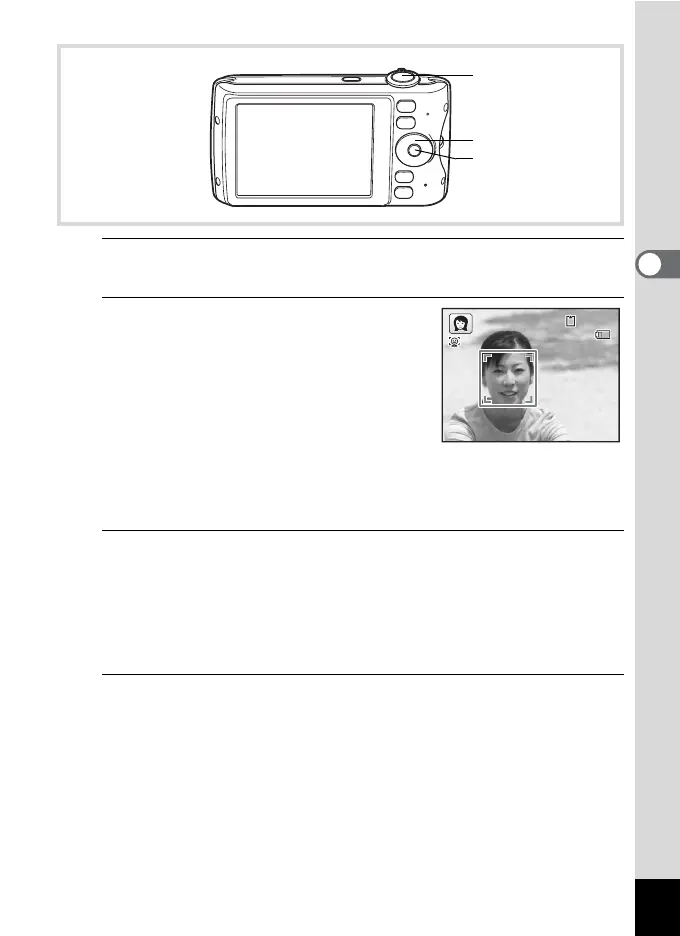
Use the four-way controller
(2345) to select C, P or V
and press the 4 button.
The shooting mode is selected and the
camera returns to capture status.
When the camera recognizes a person’s
face, the Face Recognition function is
activated and the face recognition frame appears (p.70).
If the camera recognizes a person’s face in C mode, an orange frame
appears showing the area to be zoomed in.
3
Press the shutter release button halfway.
The focus frame on the display turns green when the camera focuses
on the subject at the correct distance.
If the camera recognizes a person's face in C mode, the camera
automatically zooms in to enlarge the area in the orange frame shown
in Step 2.
4
Press the shutter release button fully.
The picture is taken.
Shutter release
button
Four-way controller
4 button
14:25
38
02/02/2009
02/02/2009
38
14:25



 To Next Page